Mashoke Tech

Systems you rent or own.

Every screen below is taken from the system itself, running with demo data. Tap any screen to see it full size.

Rent or ownInstalls as an appBuilt-in supportSoft 3D designNo outside servicesBuilt to OWASP
Schools

TermBook

Marks, report cards and parent portal, in one click.

Rent itOn our platform, in your colours.
Own itYour install, your domain.
  • Positions and report cards
  • Timetables and fees
  • Parent portal
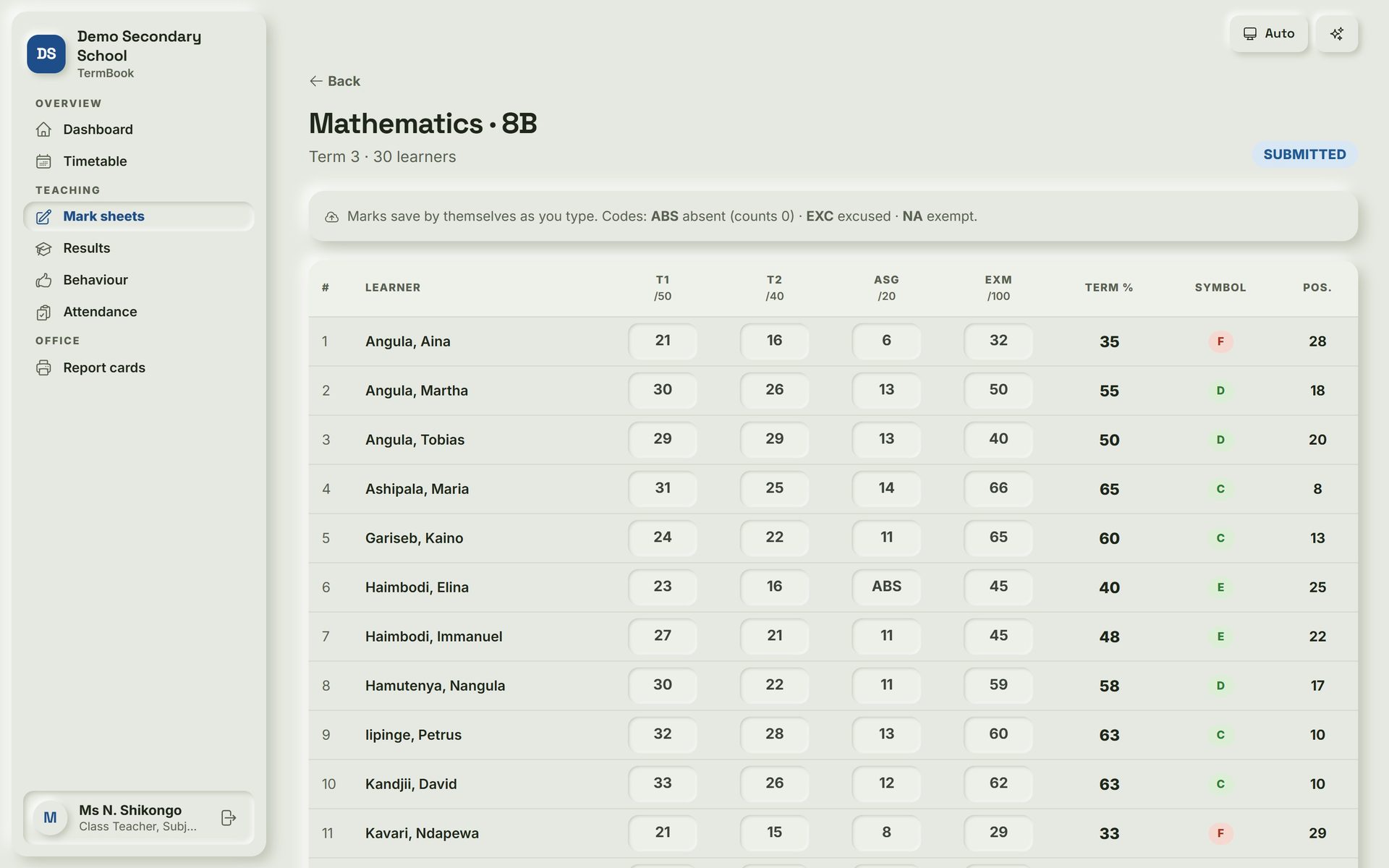
TermBook: Mark sheet. Teachers type marks once; the term mark, symbol and class position work themselves out.
Mark sheet Teachers type marks once; the term mark, symbol and class position work themselves out.
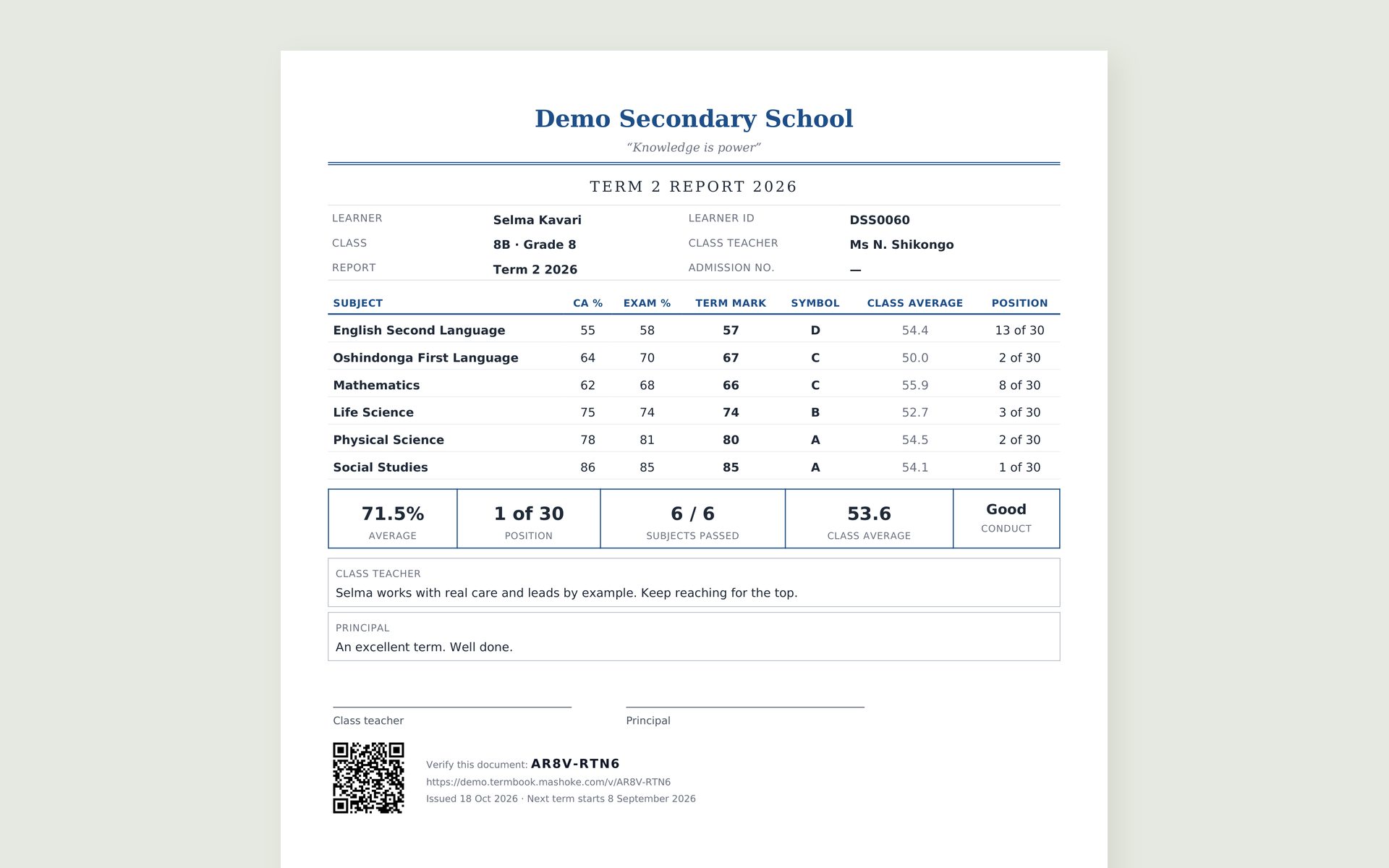
TermBook: Report card. A finished report card in the school's own design, with a QR code anyone can use to check it is genuine.
Report card A finished report card in the school's own design, with a QR code anyone can use to check it is genuine.
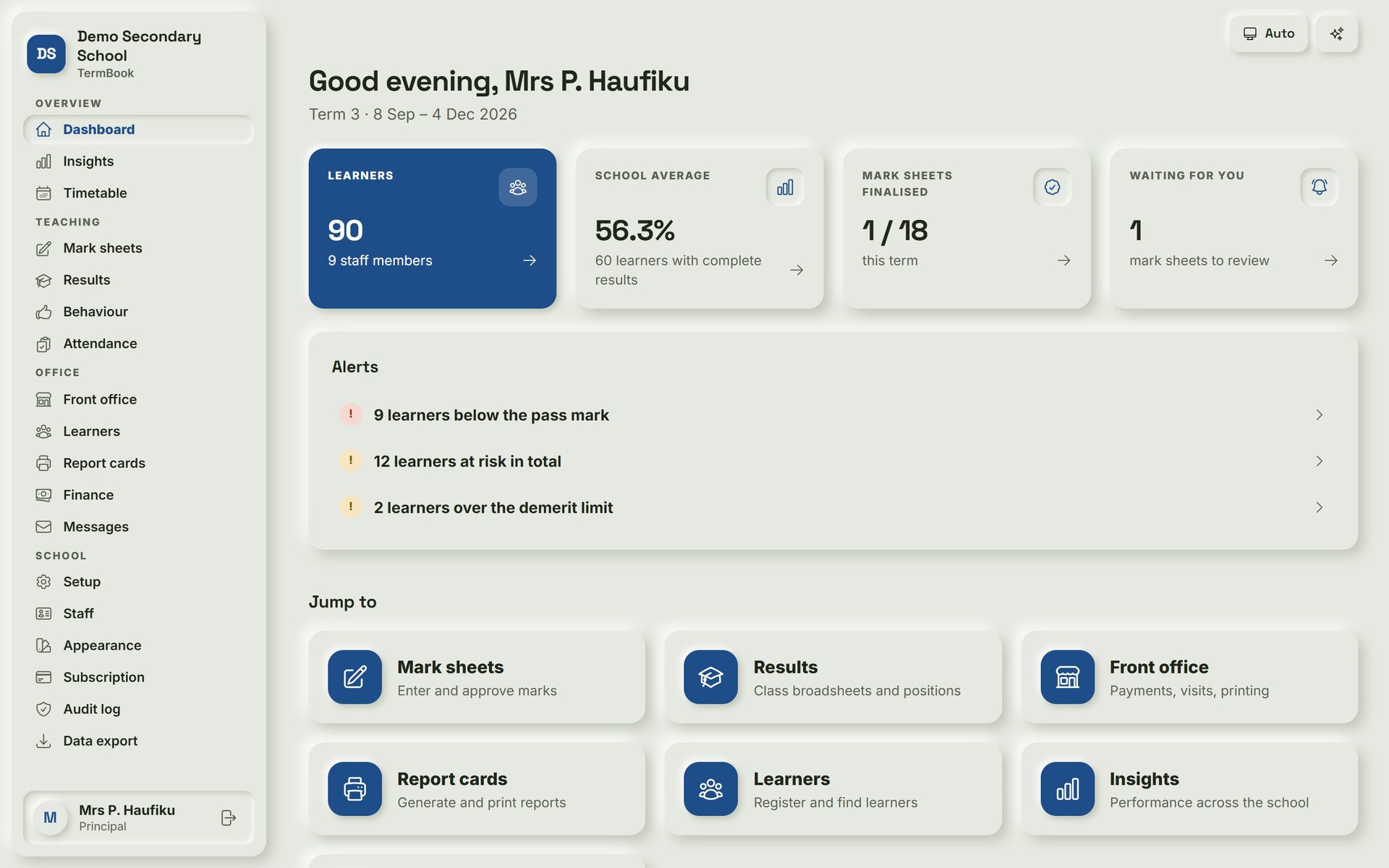
TermBook: Principal's dashboard. The principal sees learners, the school average, mark sheets finalised and learners at risk at a glance.
Principal's dashboard The principal sees learners, the school average, mark sheets finalised and learners at risk at a glance.
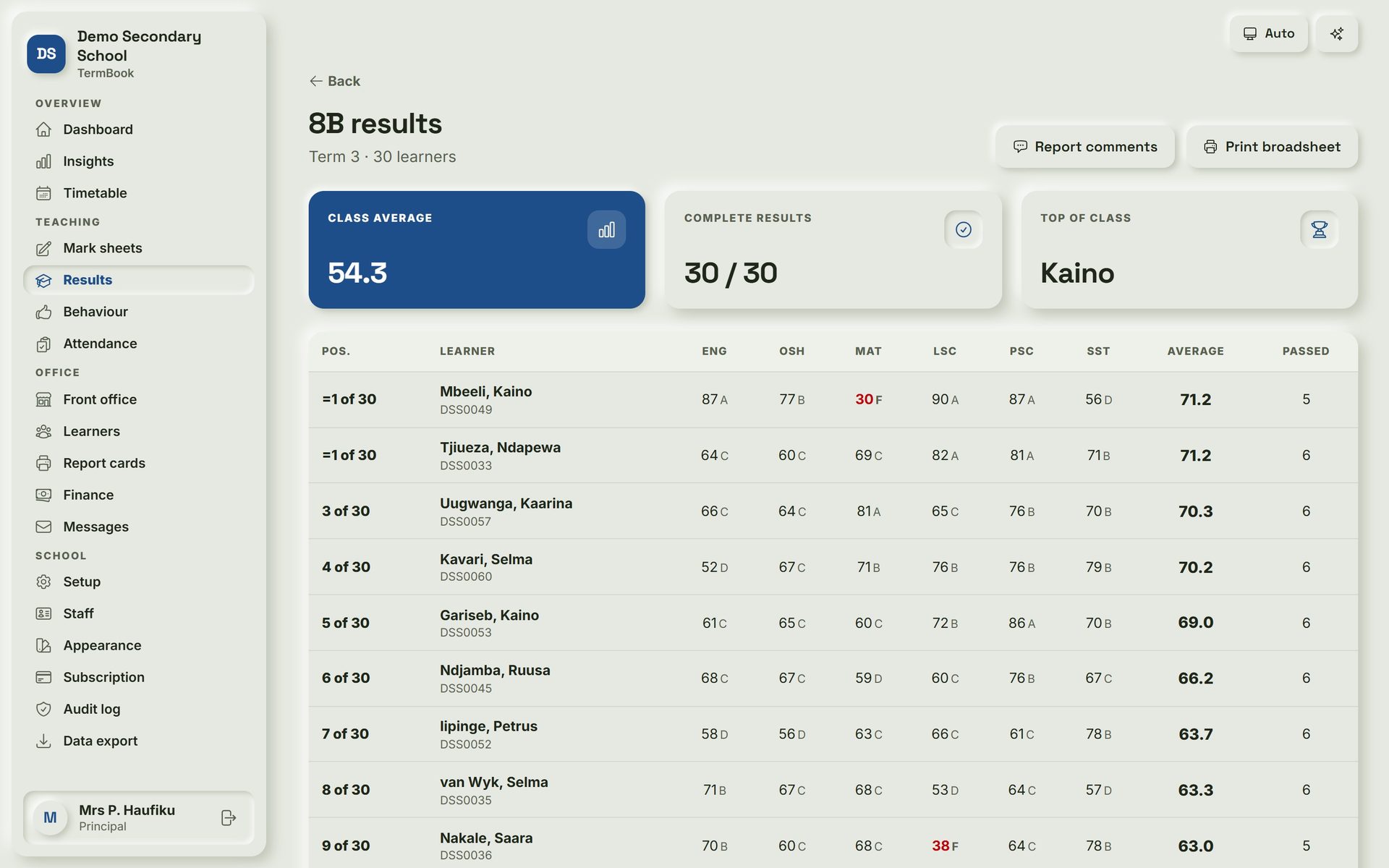
TermBook: Class results. Every subject mark, average and position for a class on one page, with shared places for ties.
Class results Every subject mark, average and position for a class on one page, with shared places for ties.
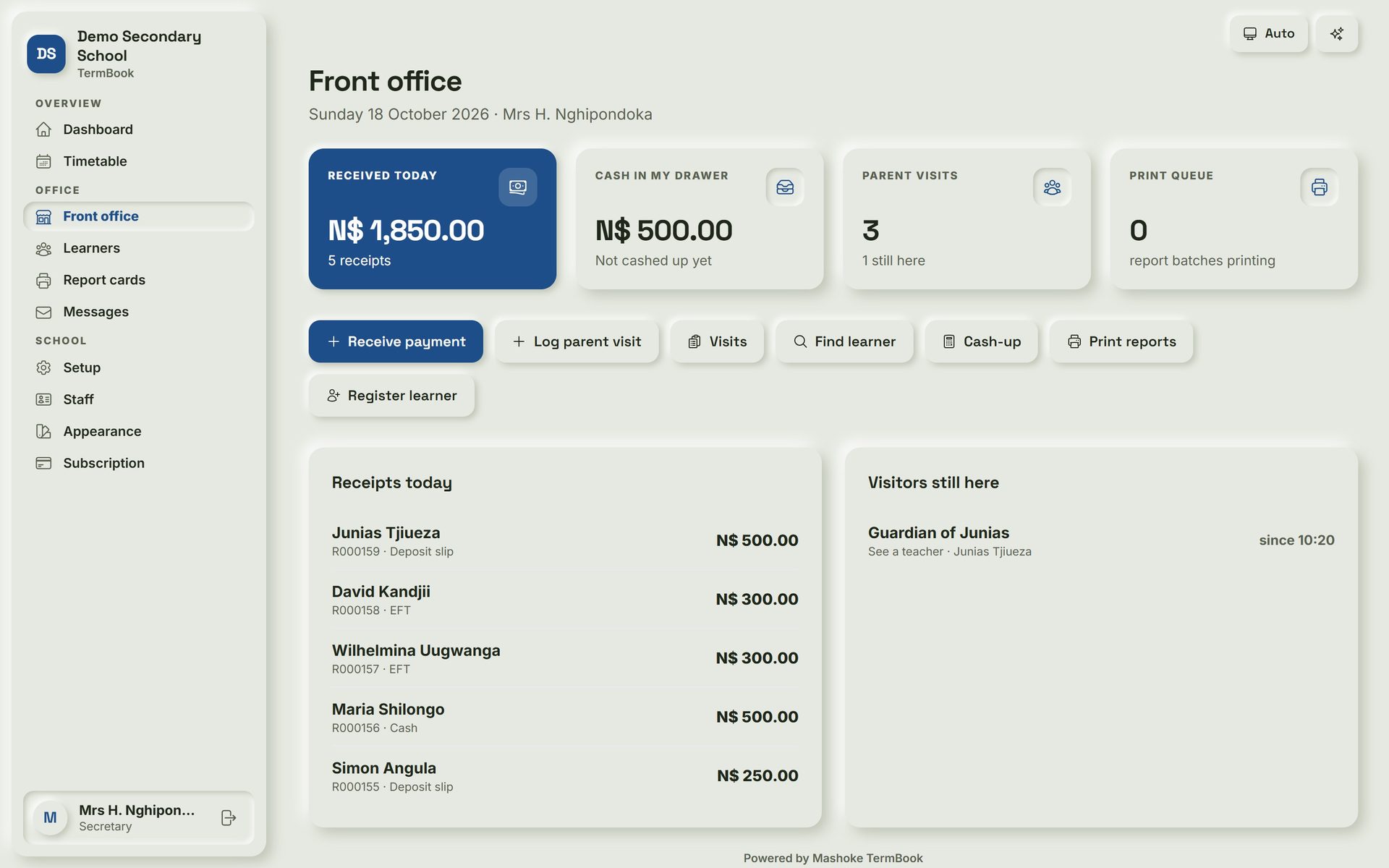
TermBook: Front office. The secretary receipts school fees, logs parent visits and prints reports from one screen.
Front office The secretary receipts school fees, logs parent visits and prints reports from one screen.
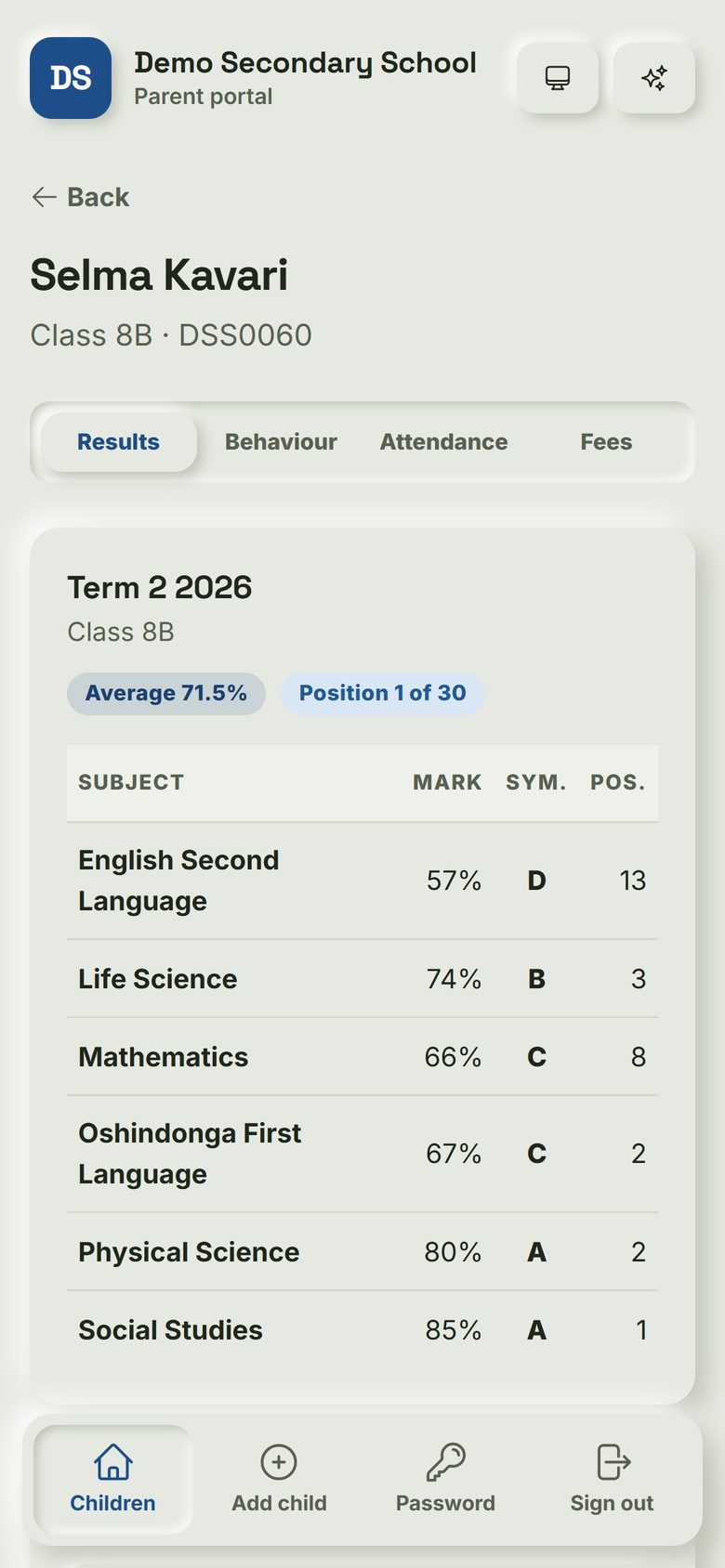
TermBook: Parent portal. Parents see their child's marks, average and position on their phone, using the learner ID.
Parent portal Parents see their child's marks, average and position on their phone, using the learner ID.
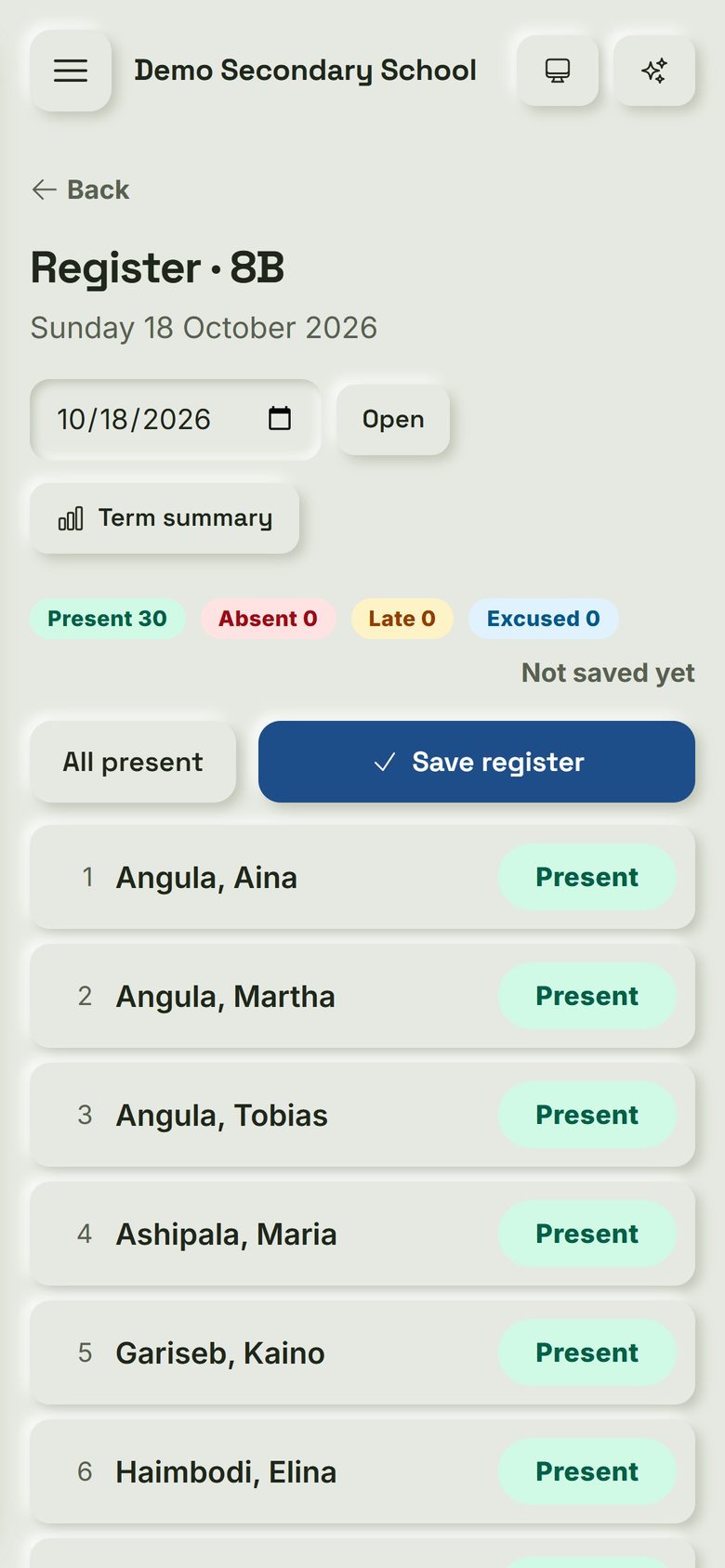
TermBook: Class register. Teachers take the daily class register on their phone in a few taps.
Class register Teachers take the daily class register on their phone in a few taps.
Restaurants & bars

TabBook

Order to kitchen to cash-up. Sells offline.

  • Tables and bar tabs
  • Stock and recipes
  • Blind cash-ups
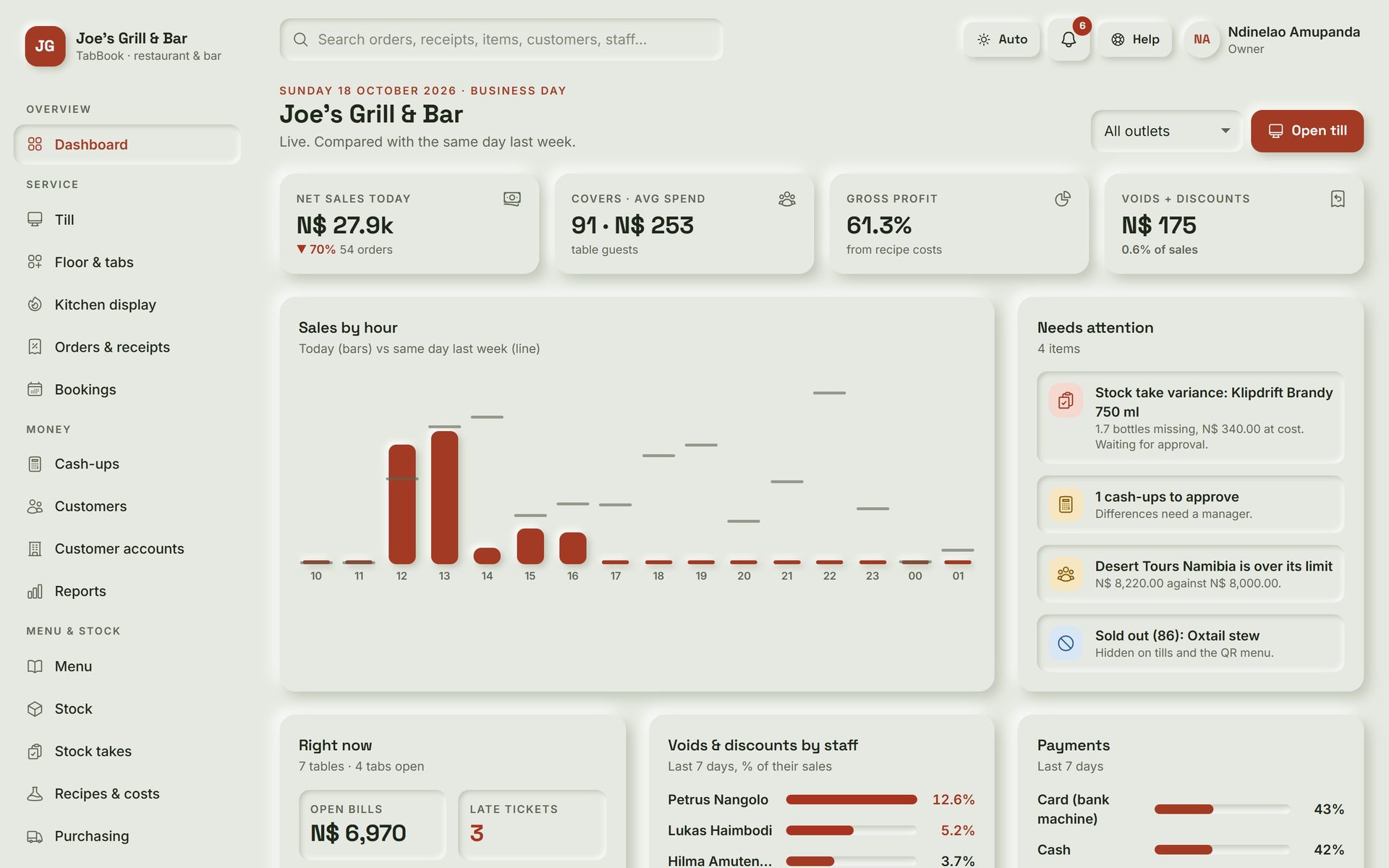
TabBook: Owner dashboard. The owner sees today's sales, gross profit, voids and what needs attention, live from any phone or computer.
Owner dashboard The owner sees today's sales, gross profit, voids and what needs attention, live from any phone or computer.
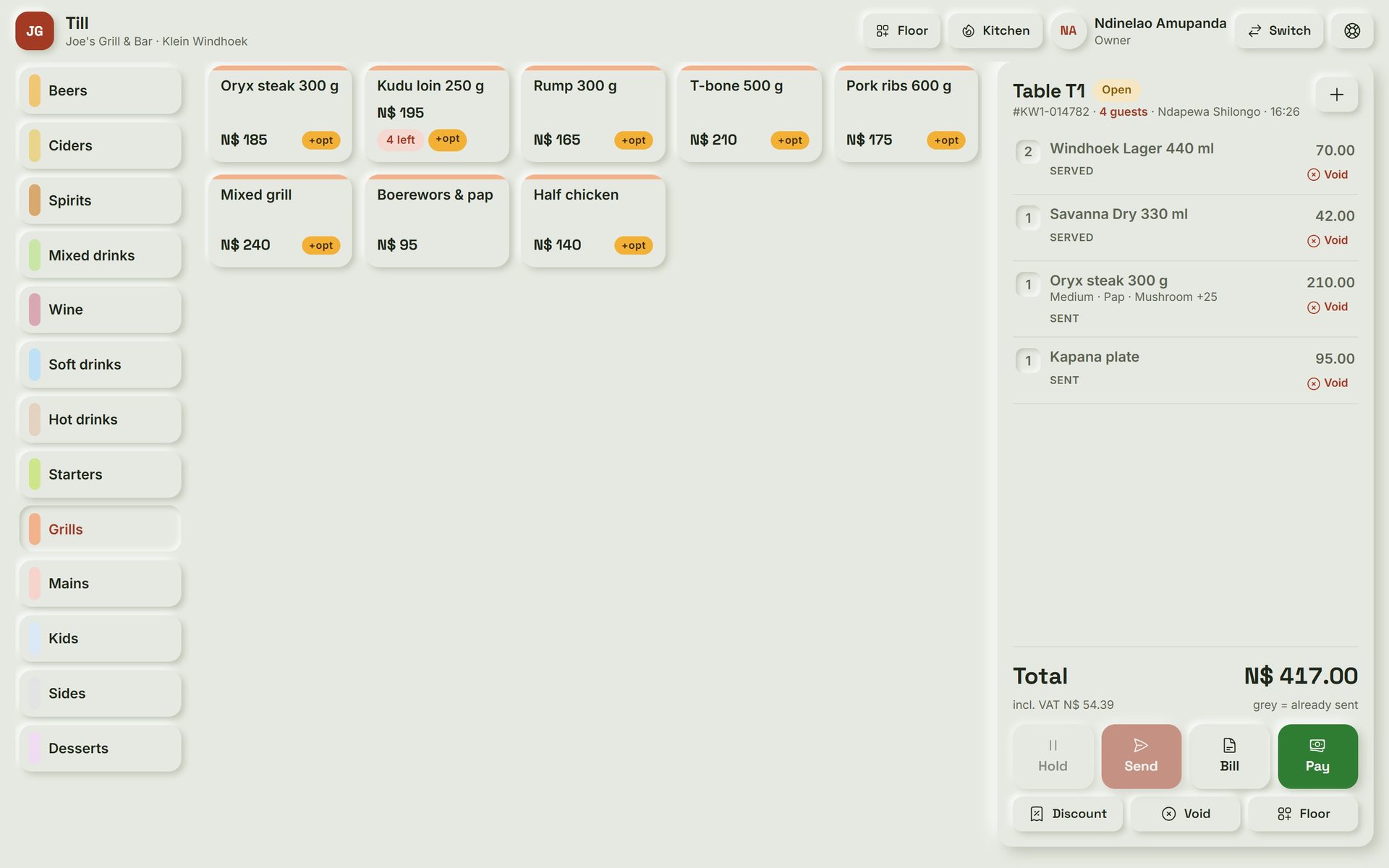
TabBook: Till. A waiter taps the table, taps the items and sends: drinks go to the bar, food to the right kitchen station.
Till A waiter taps the table, taps the items and sends: drinks go to the bar, food to the right kitchen station.
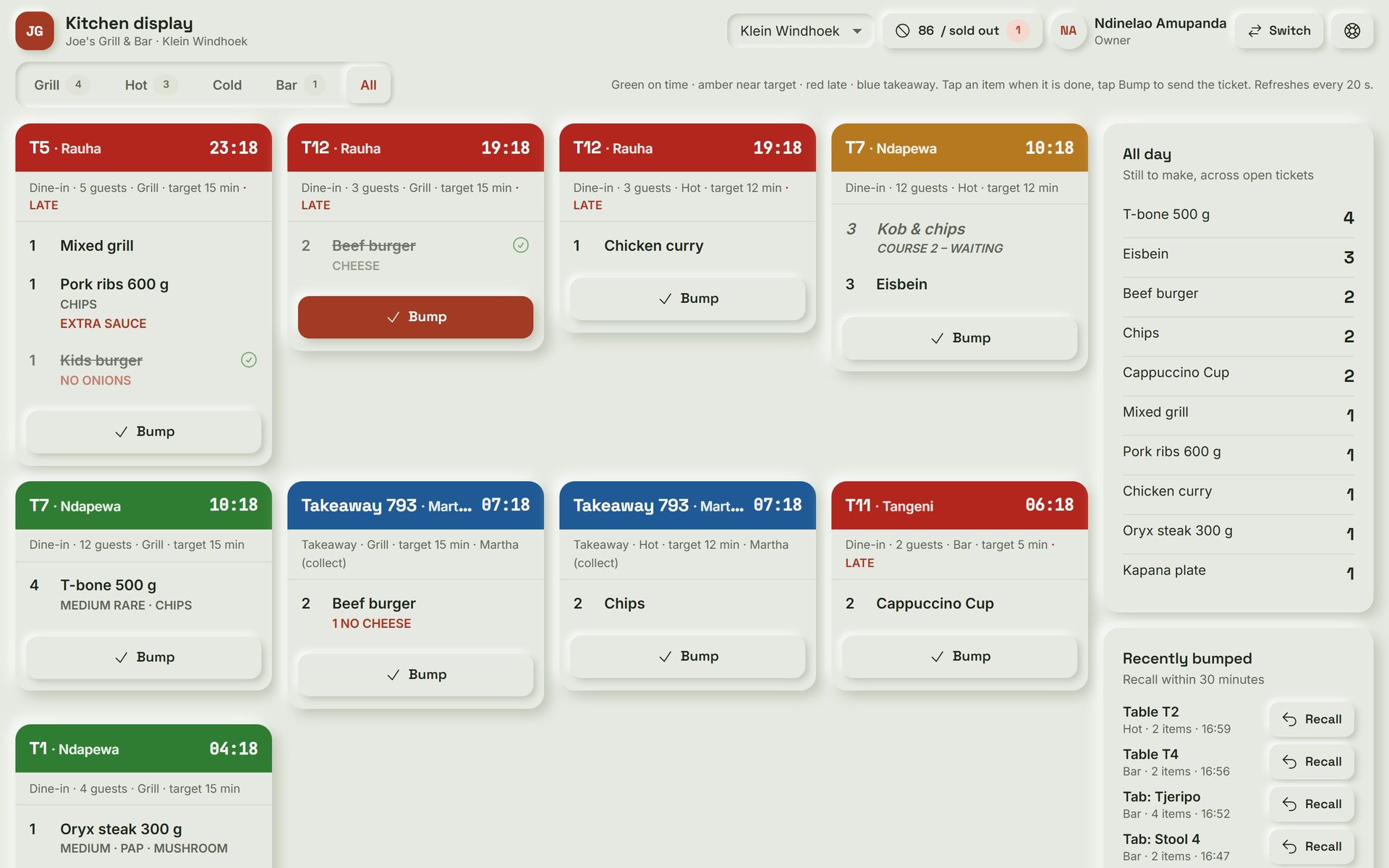
TabBook: Kitchen screen. Tickets arrive by station with timers, so the kitchen sees late orders turn red before the guest complains.
Kitchen screen Tickets arrive by station with timers, so the kitchen sees late orders turn red before the guest complains.
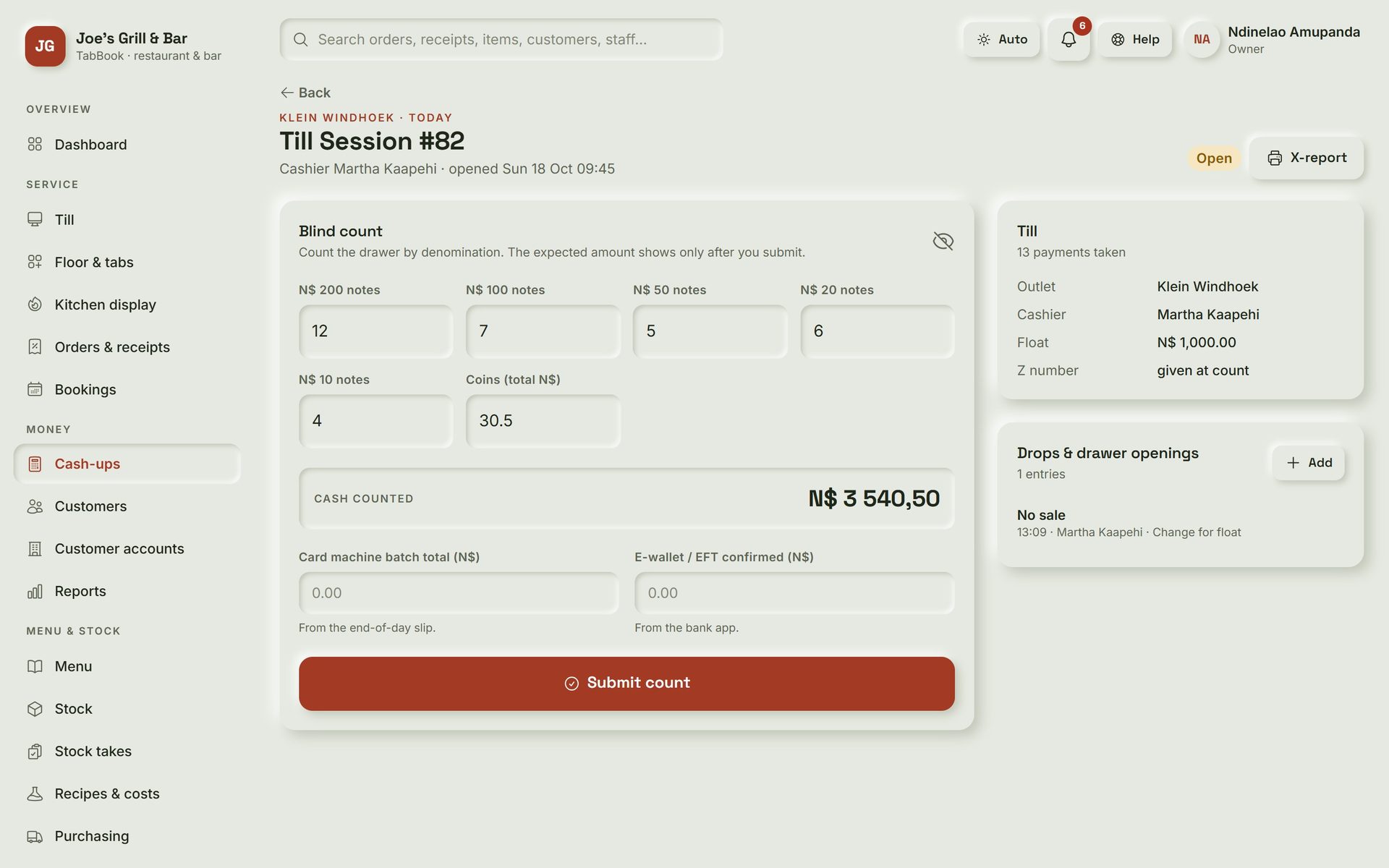
TabBook: Blind cash-up. The cashier counts the drawer first; TabBook shows what it expected only after the count is submitted.
Blind cash-up The cashier counts the drawer first; TabBook shows what it expected only after the count is submitted.
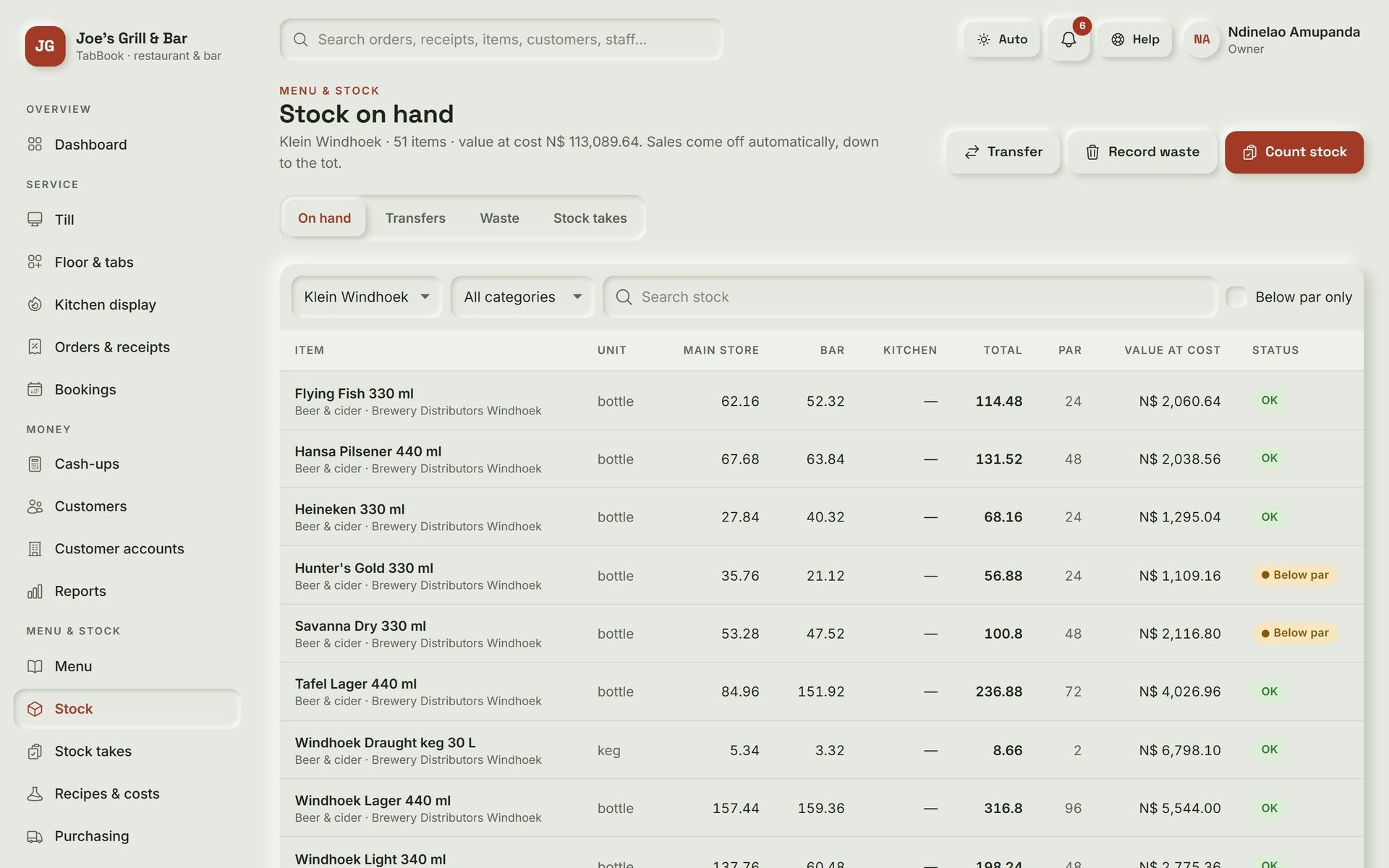
TabBook: Stock on hand. Every sale takes its recipe off the shelf, so the bar and store levels are always current and items below par are flagged.
Stock on hand Every sale takes its recipe off the shelf, so the bar and store levels are always current and items below par are flagged.
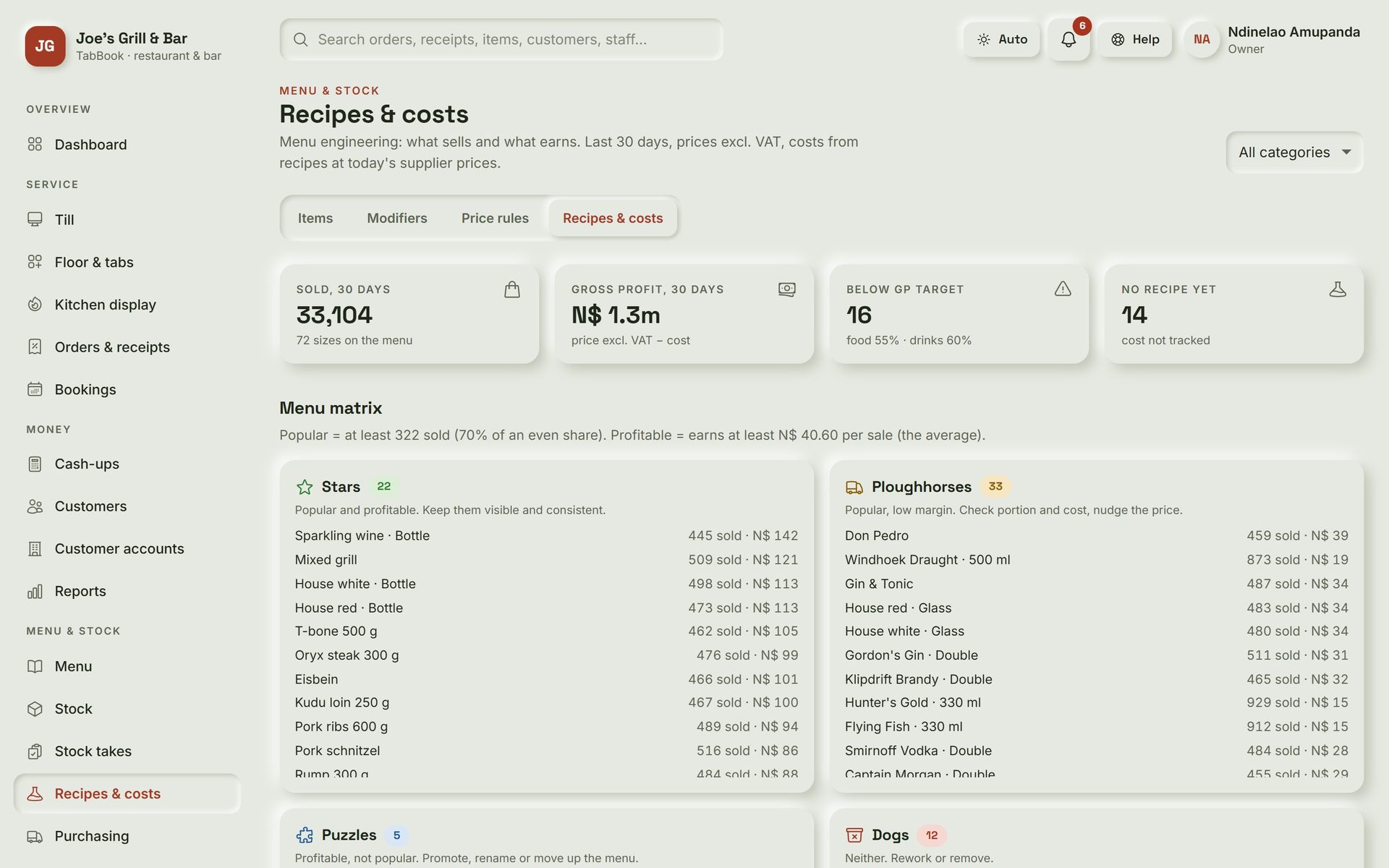
TabBook: Recipes and costs. Each dish and drink is costed from supplier prices, showing which items sell well and which actually make money.
Recipes and costs Each dish and drink is costed from supplier prices, showing which items sell well and which actually make money.
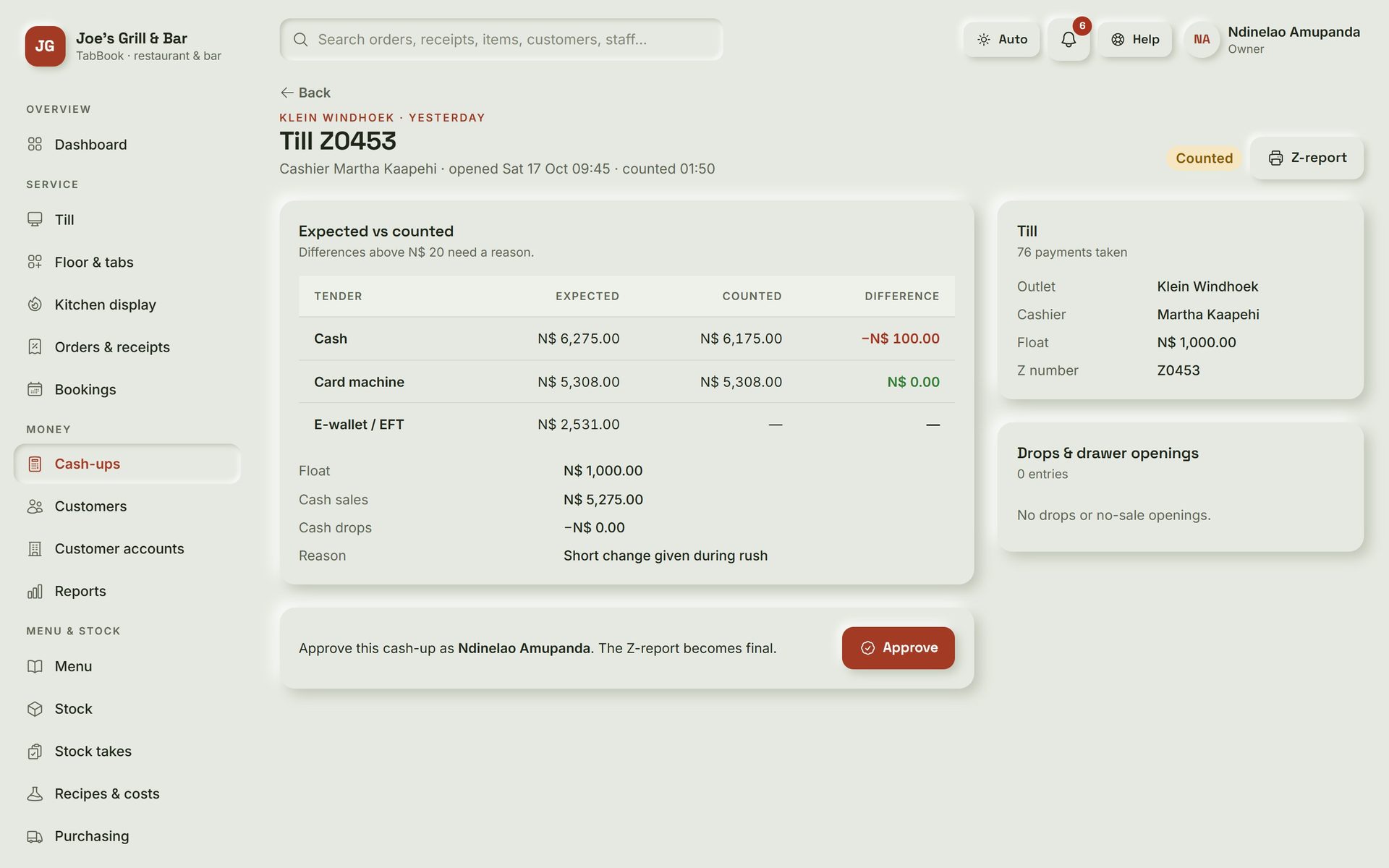
TabBook: Cash-up approval. Expected against counted for cash, card and e-wallet, with the reason for any difference before a manager approves.
Cash-up approval Expected against counted for cash, card and e-wallet, with the reason for any difference before a manager approves.
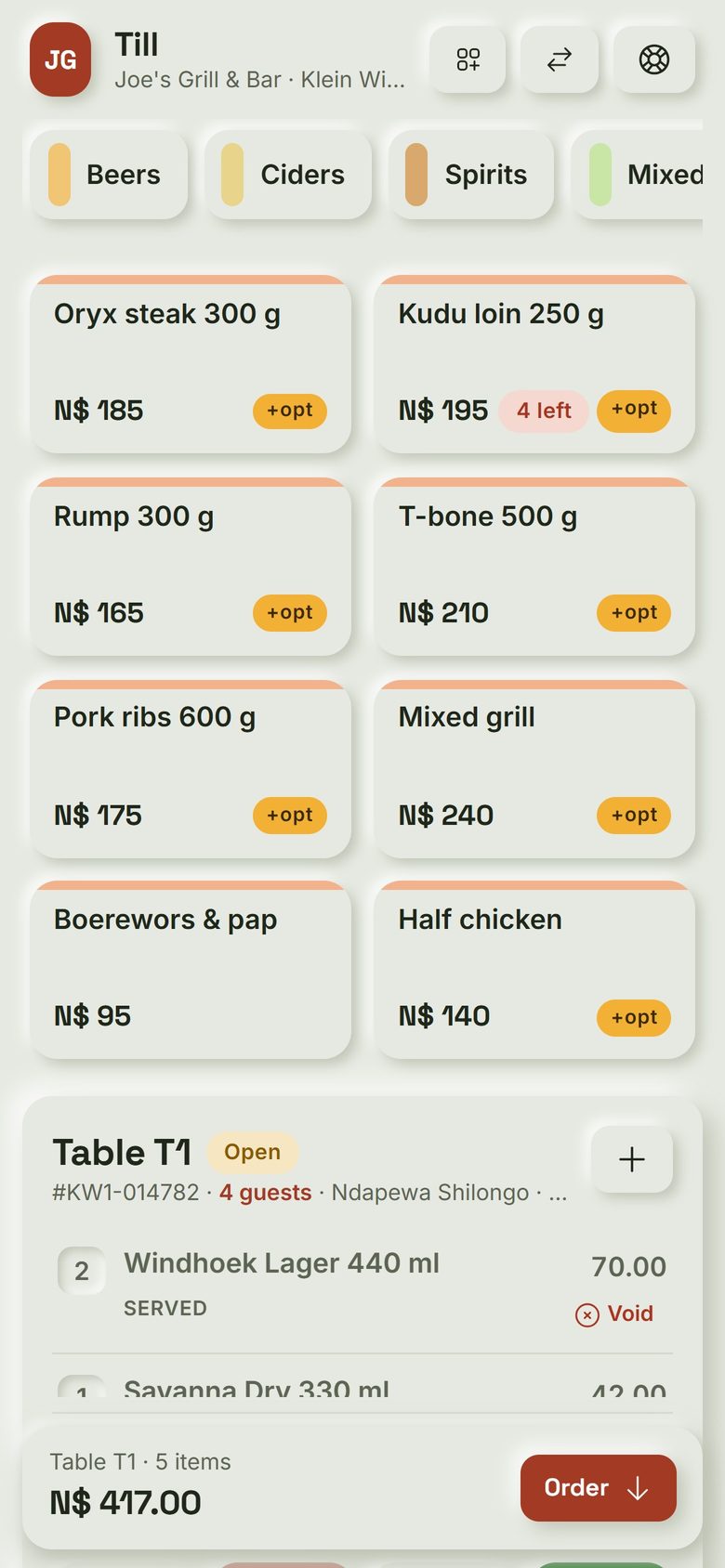
TabBook: Waiter's phone. Waiters order at the table on their own phone, with the bill for that table right below the menu.
Waiter's phone Waiters order at the table on their own phone, with the bill for that table right below the menu.
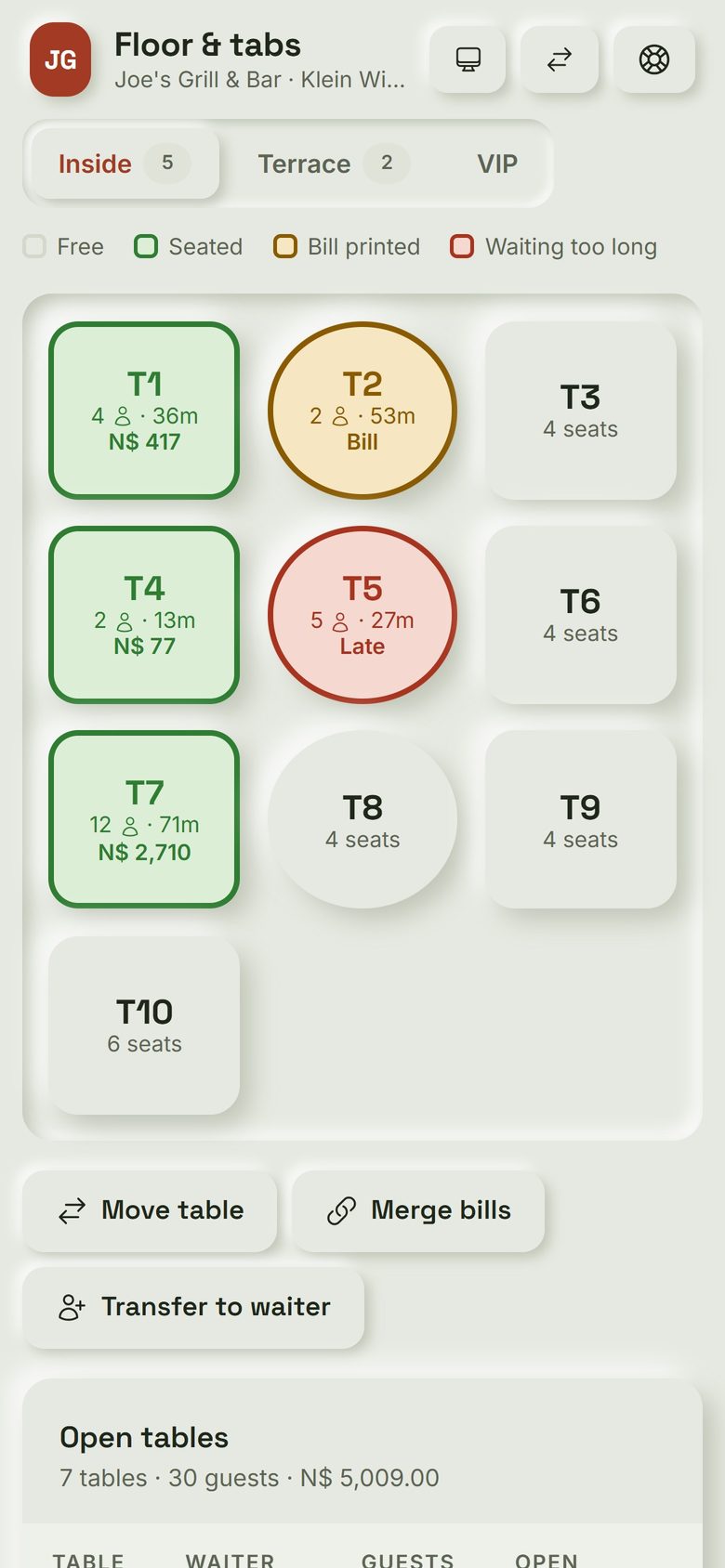
TabBook: Floor plan on a phone. Every table at a glance: free, seated, bill printed or waiting too long.
Floor plan on a phone Every table at a glance: free, seated, bill printed or waiting too long.
Guesthouses & hotels

RestBook

Bookings to final invoice, with an optional website.

  • One room calendar
  • Direct bookings
  • Housekeeping on phones
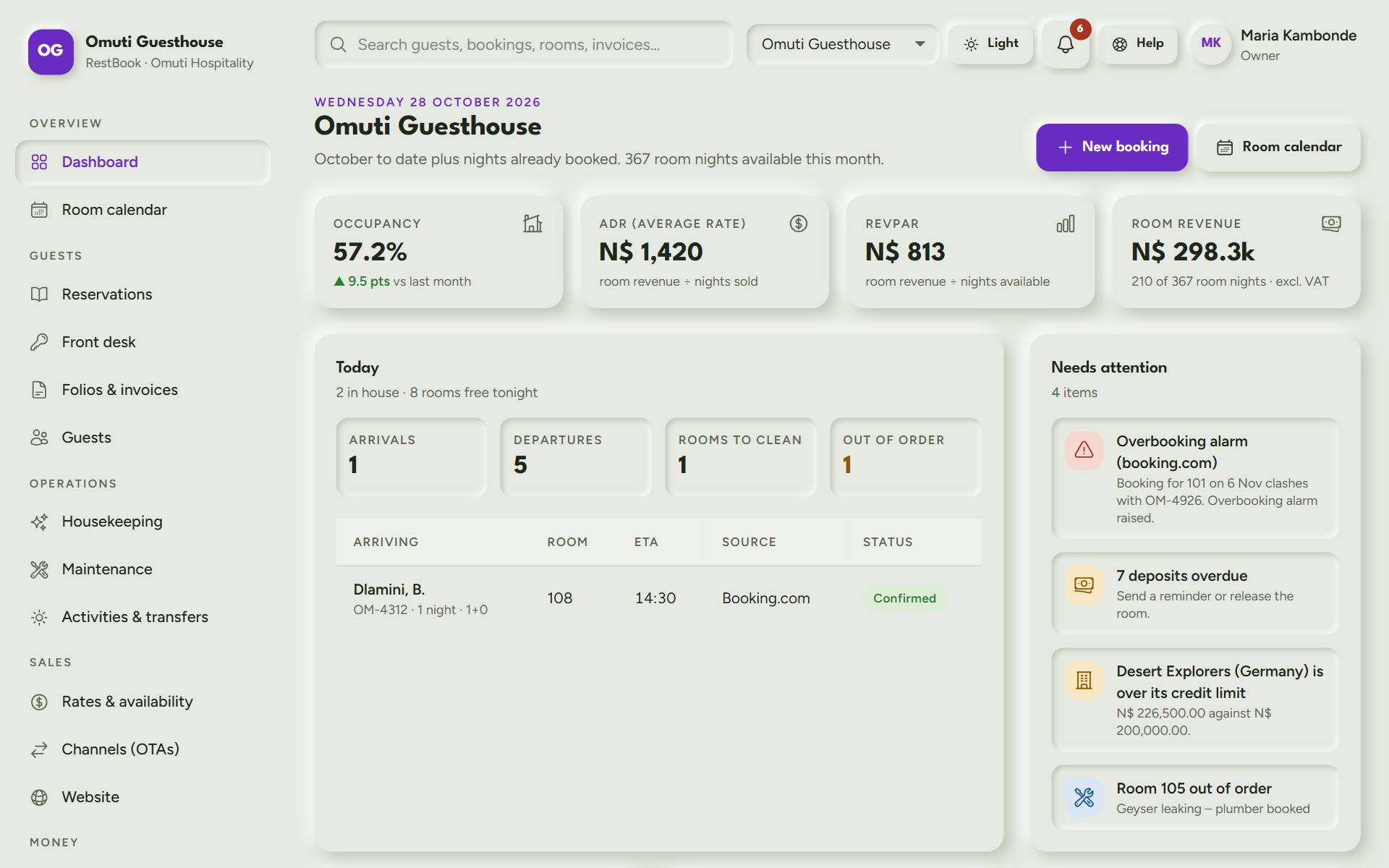
RestBook: Dashboard. The owner's morning view: occupancy, average rate, arrivals and departures today, and what needs attention.
Dashboard The owner's morning view: occupancy, average rate, arrivals and departures today, and what needs attention.
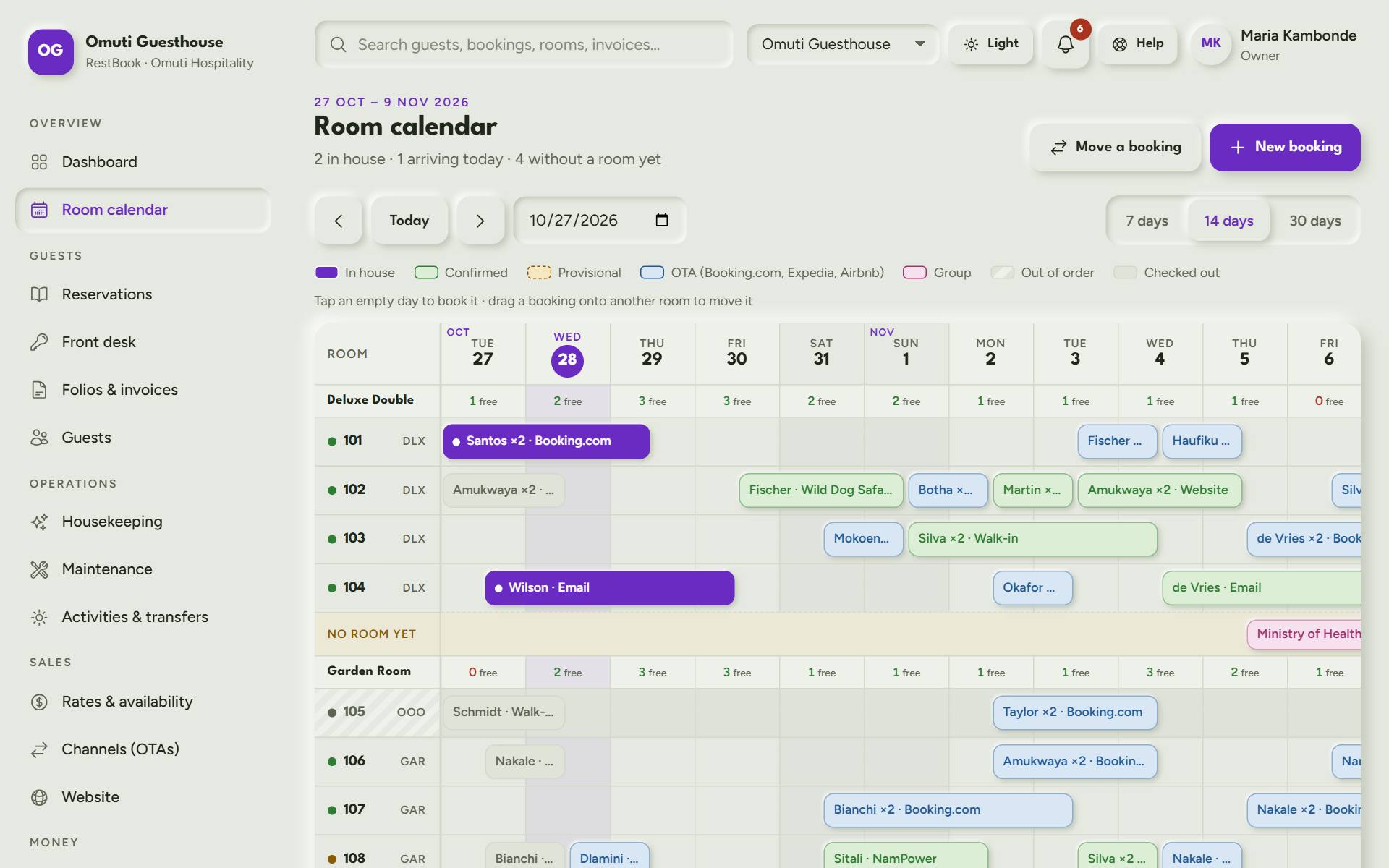
RestBook: Room calendar. Every booking from the phone, the website and Booking.com on one calendar, so a room is only sold once.
Room calendar Every booking from the phone, the website and Booking.com on one calendar, so a room is only sold once.
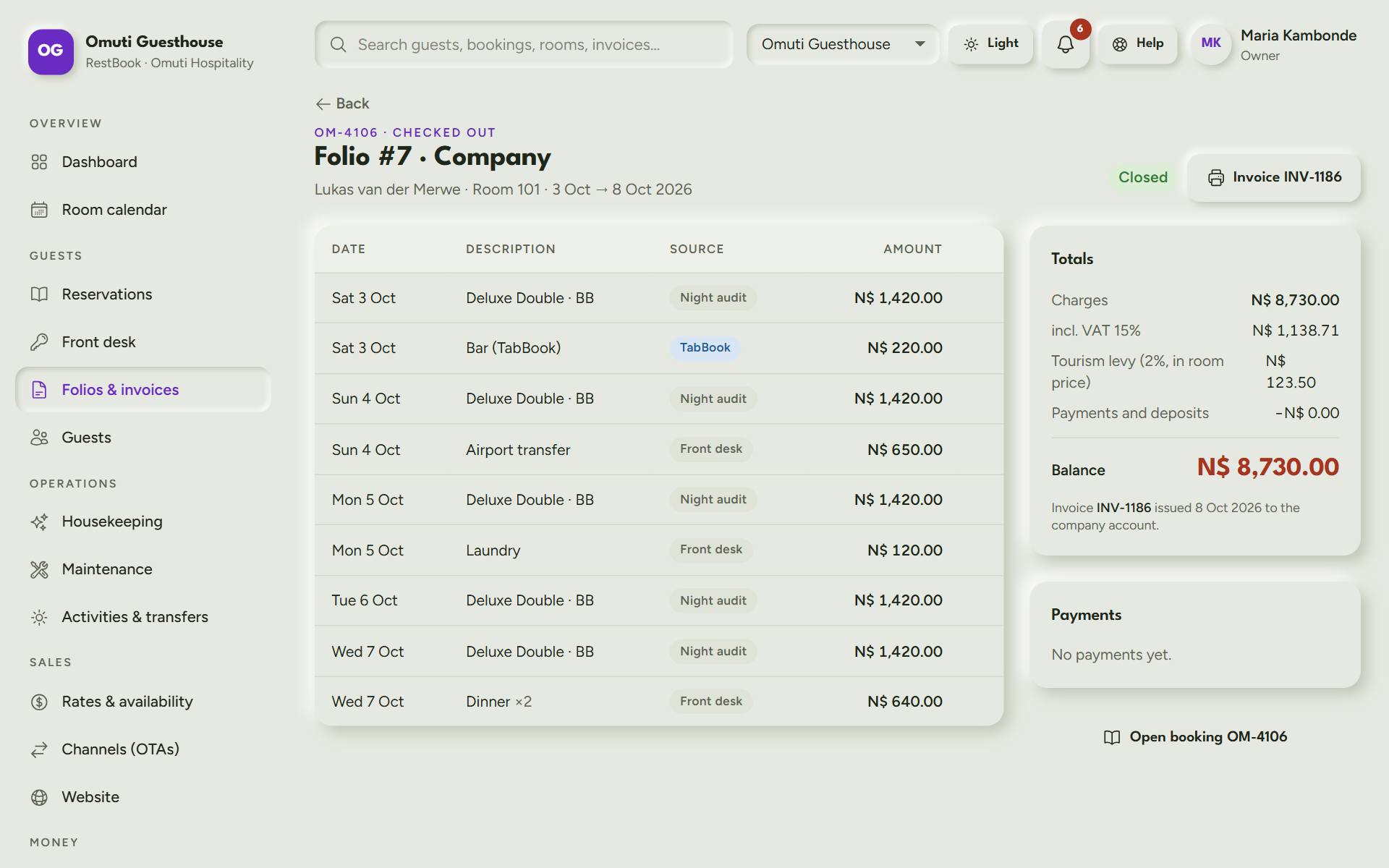
RestBook: Guest folio. The guest's bill: room nights, dinners, bar and laundry, the deposit and the card payment, ready as an invoice.
Guest folio The guest's bill: room nights, dinners, bar and laundry, the deposit and the card payment, ready as an invoice.
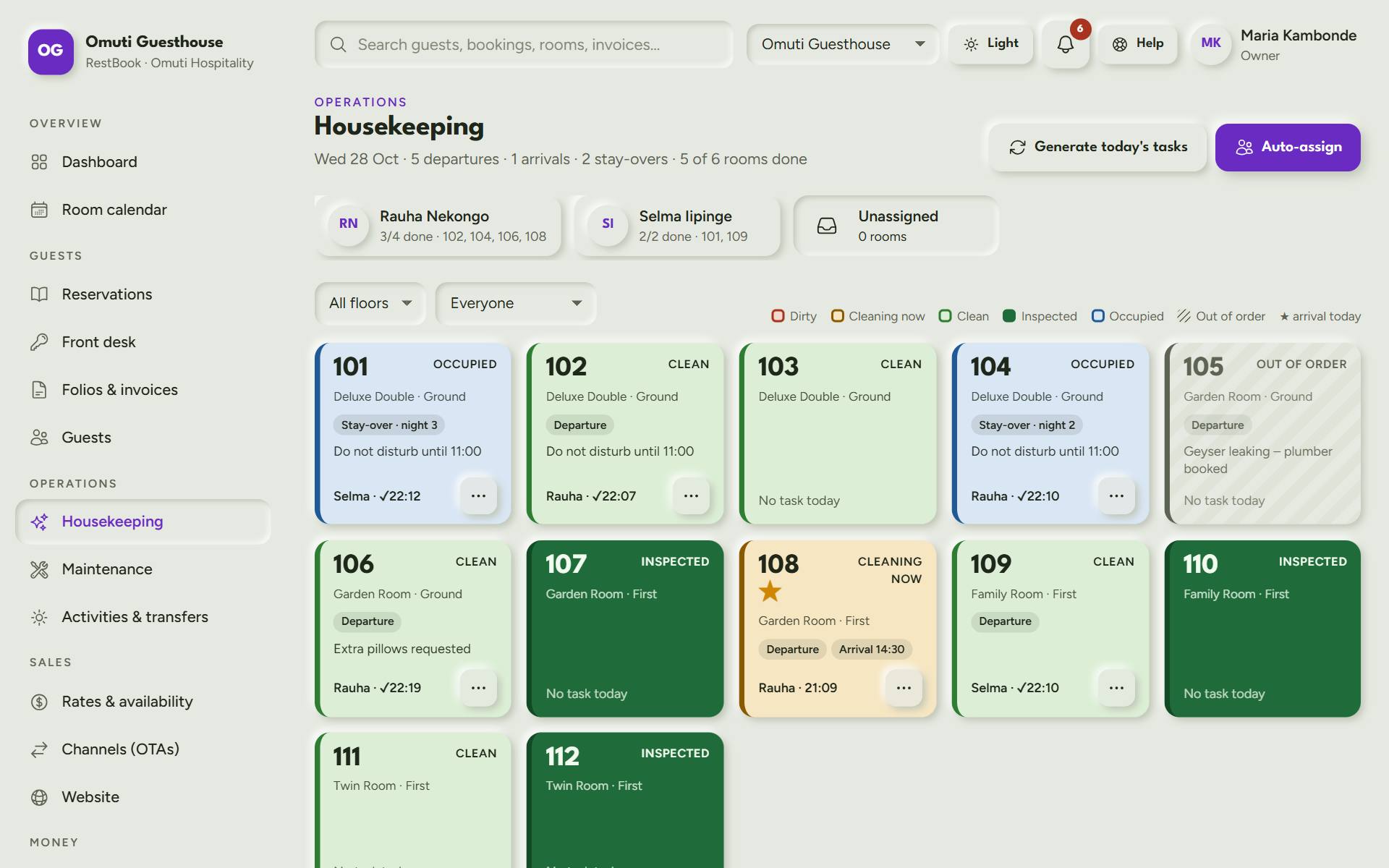
RestBook: Housekeeping board. Which rooms are dirty, being cleaned, clean or inspected, and who is on which room.
Housekeeping board Which rooms are dirty, being cleaned, clean or inspected, and who is on which room.
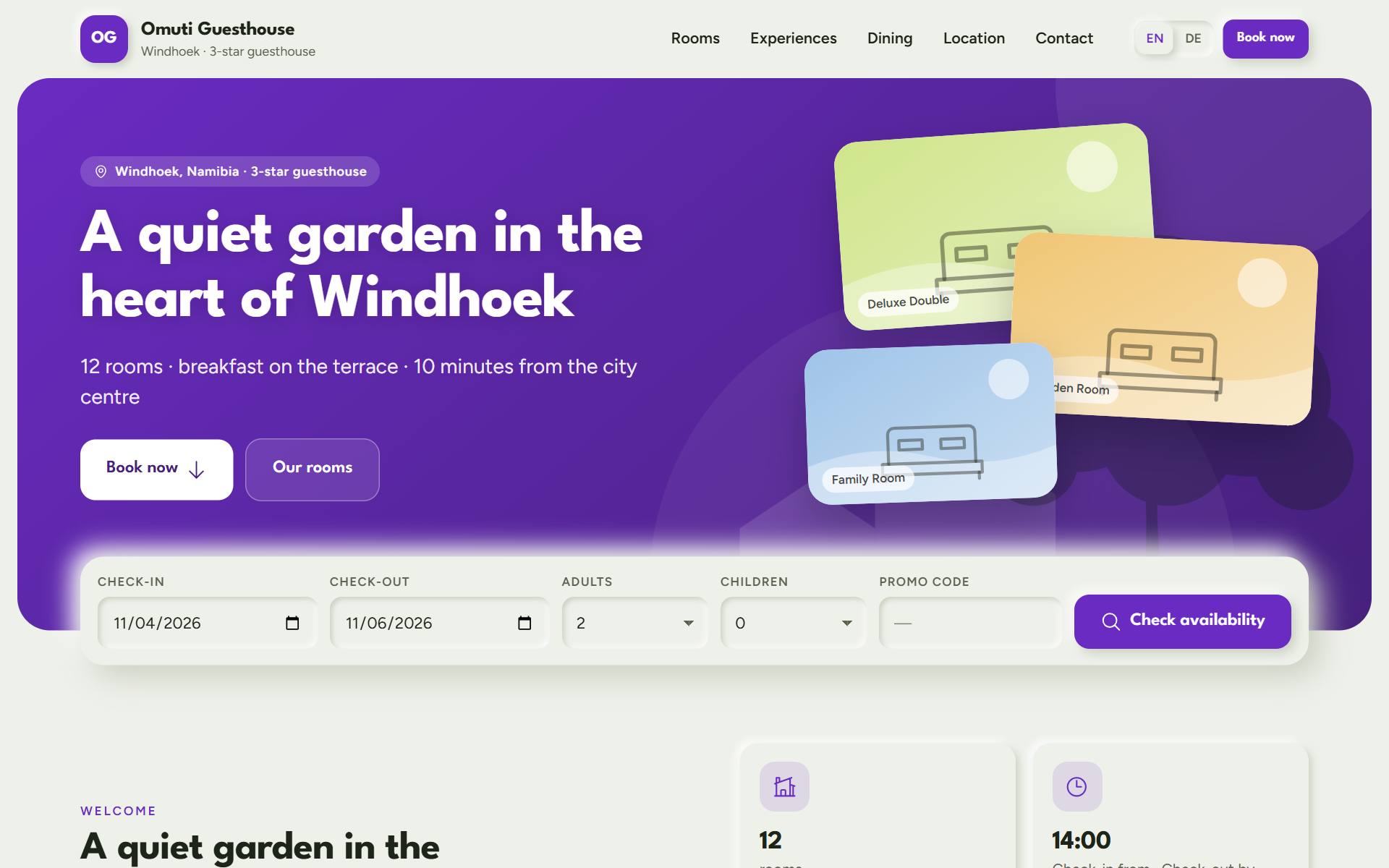
RestBook: The guesthouse's own website. An optional website that shows live prices and takes bookings directly, with no commission.
The guesthouse's own website An optional website that shows live prices and takes bookings directly, with no commission.
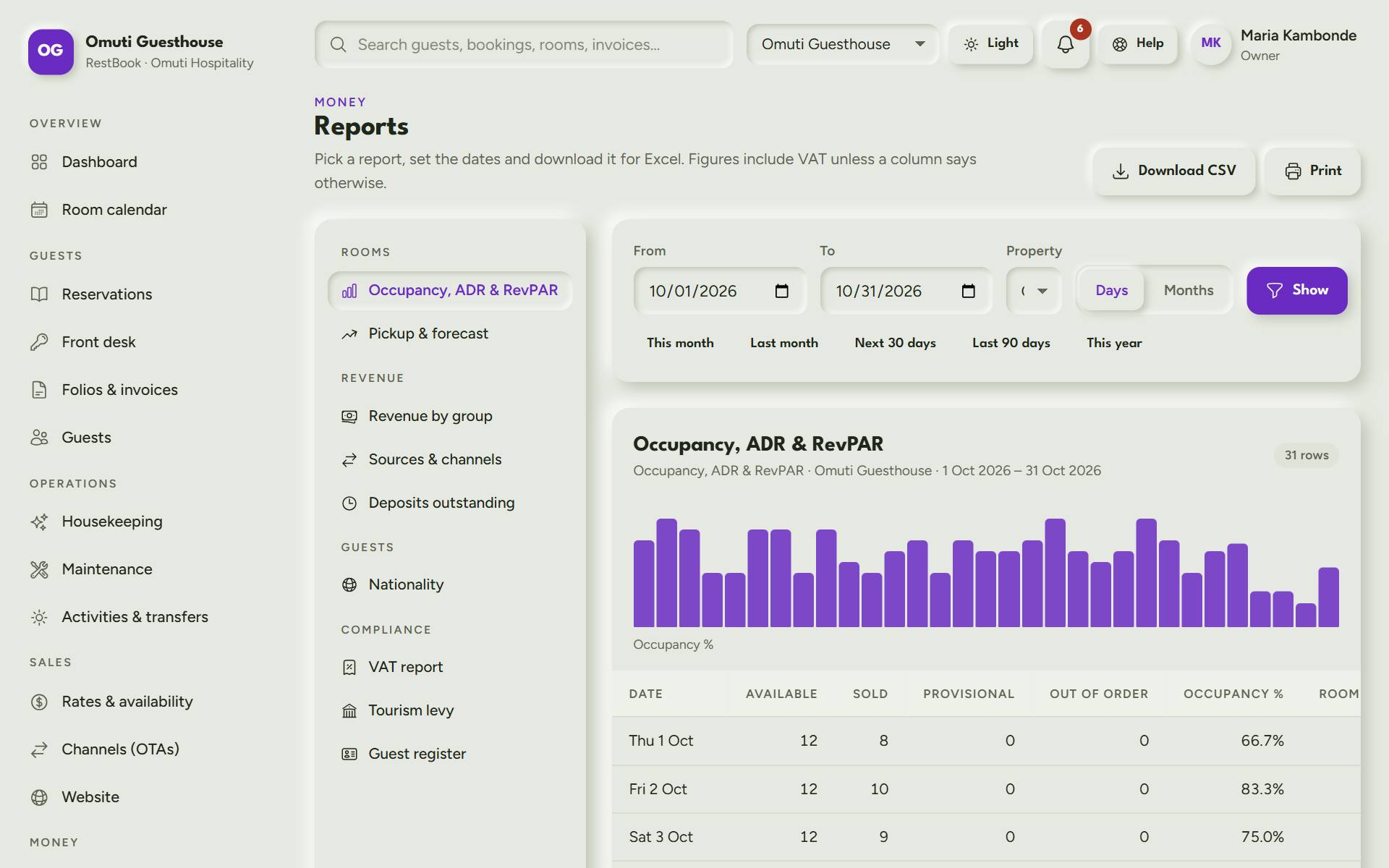
RestBook: Reports. Occupancy, ADR and RevPAR per day, plus VAT, tourism levy and an Excel download.
Reports Occupancy, ADR and RevPAR per day, plus VAT, tourism levy and an Excel download.
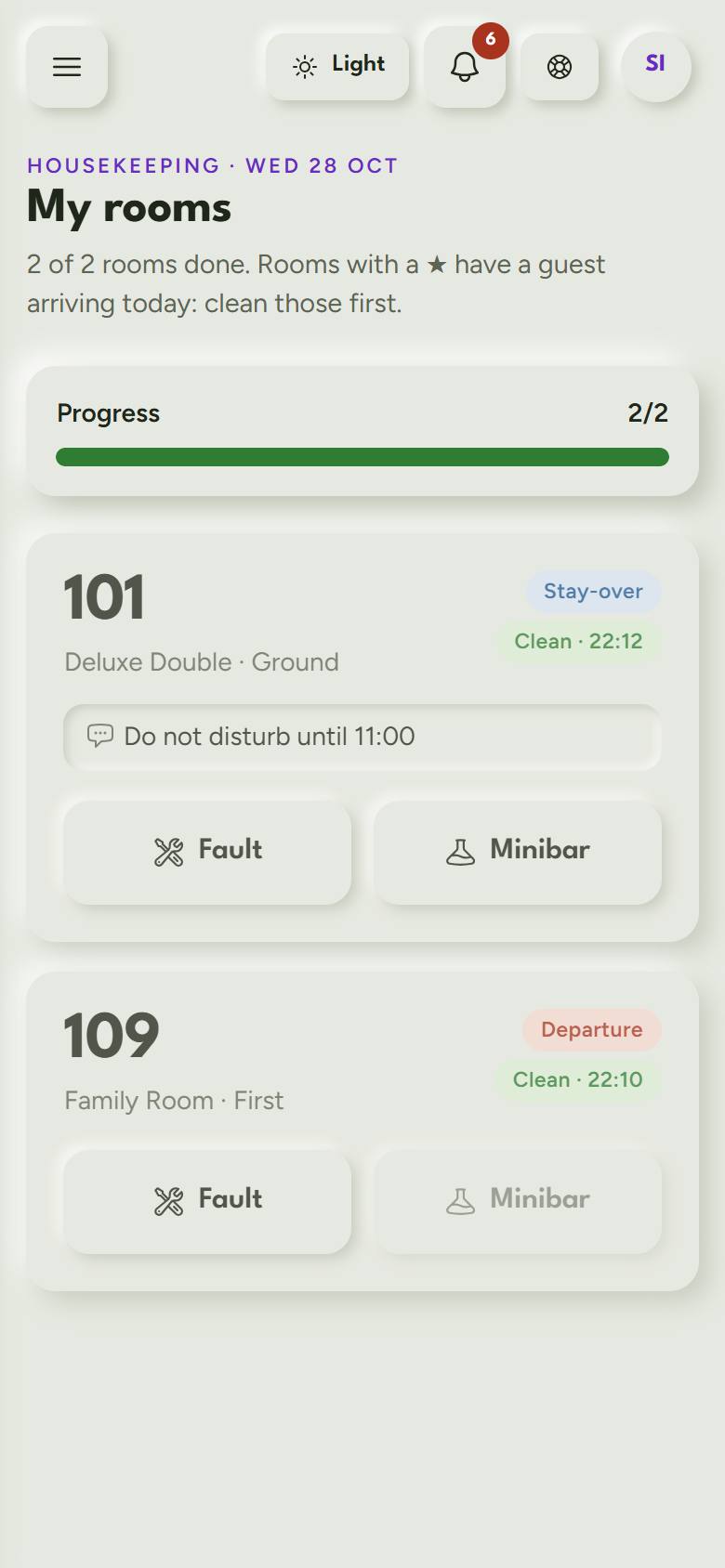
RestBook: Housekeeper's phone. Each housekeeper sees her rooms, taps Done, and reports a fault or minibar use.
Housekeeper's phone Each housekeeper sees her rooms, taps Done, and reports a fault or minibar use.
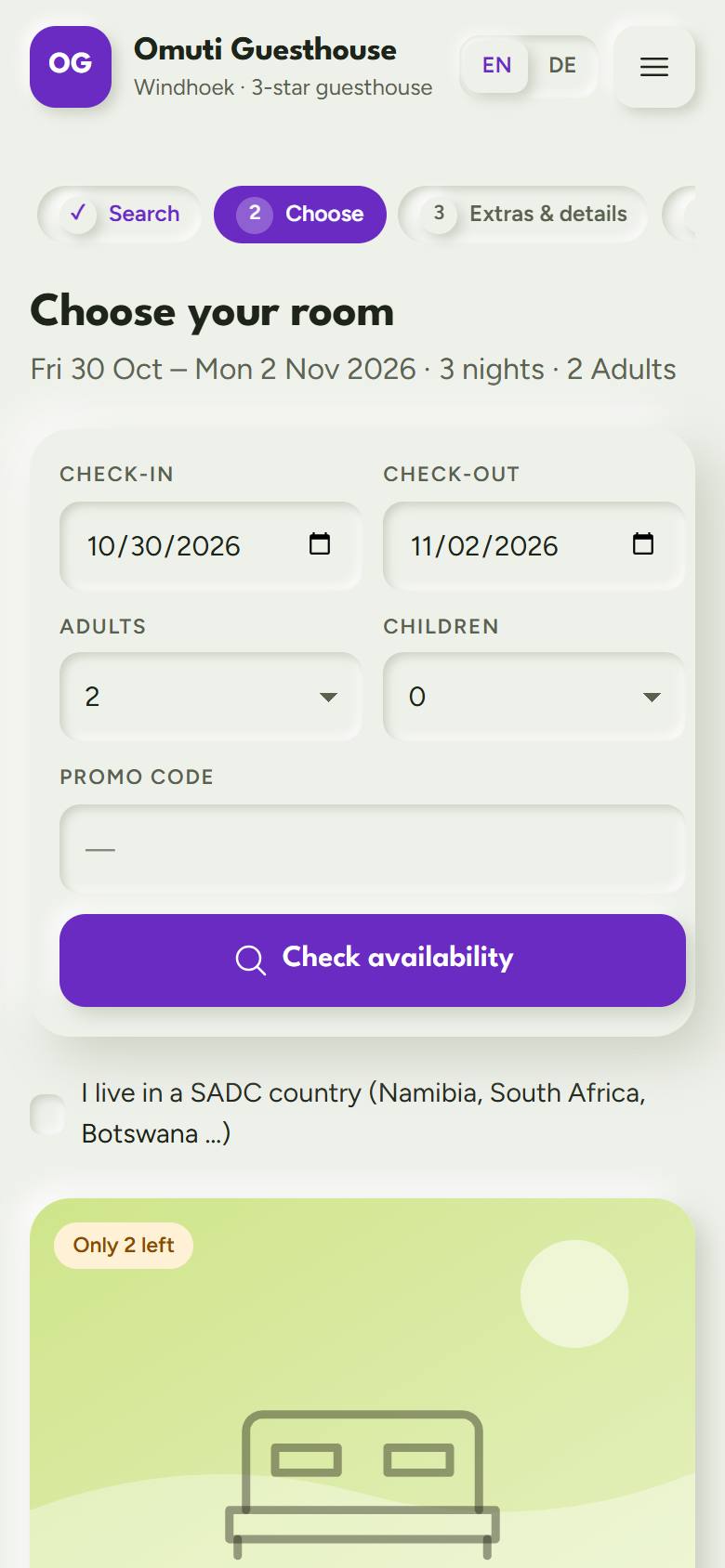
RestBook: Booking on a phone. Guests choose a room and rate on their phone and pay a deposit to book.
Booking on a phone Guests choose a room and rate on their phone and pay a deposit to book.
Bus & coach

SeatBook

Tickets, parcels, crews and cash-ups for bus companies. The next generation of BusFlow Namibia.

  • Seat maps and QR tickets
  • Manifests and parcels
  • Blind cash-ups
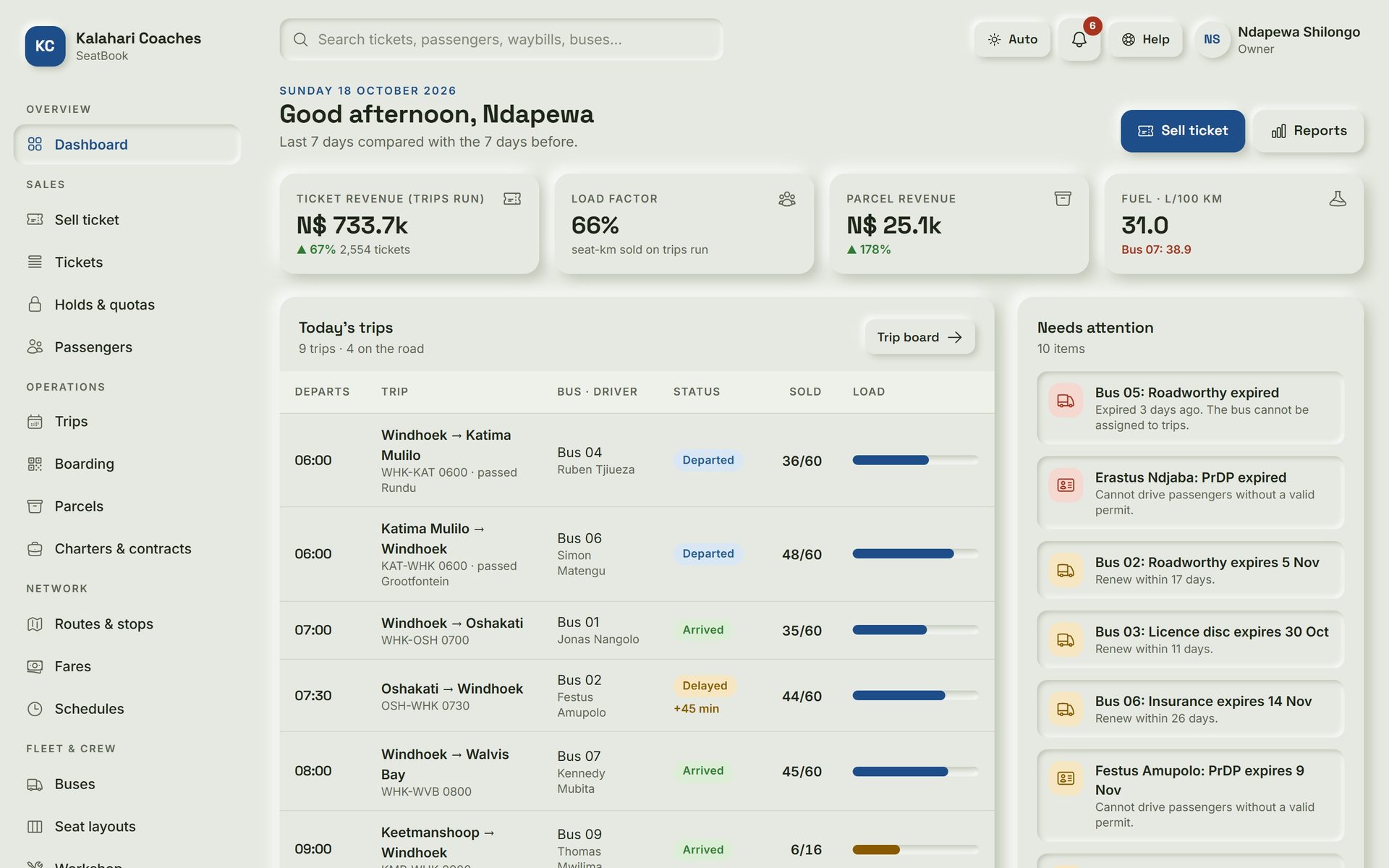
SeatBook: Dashboard. The owner's morning view: today's trips, how full each bus is, and what needs attention.
Dashboard The owner's morning view: today's trips, how full each bus is, and what needs attention.
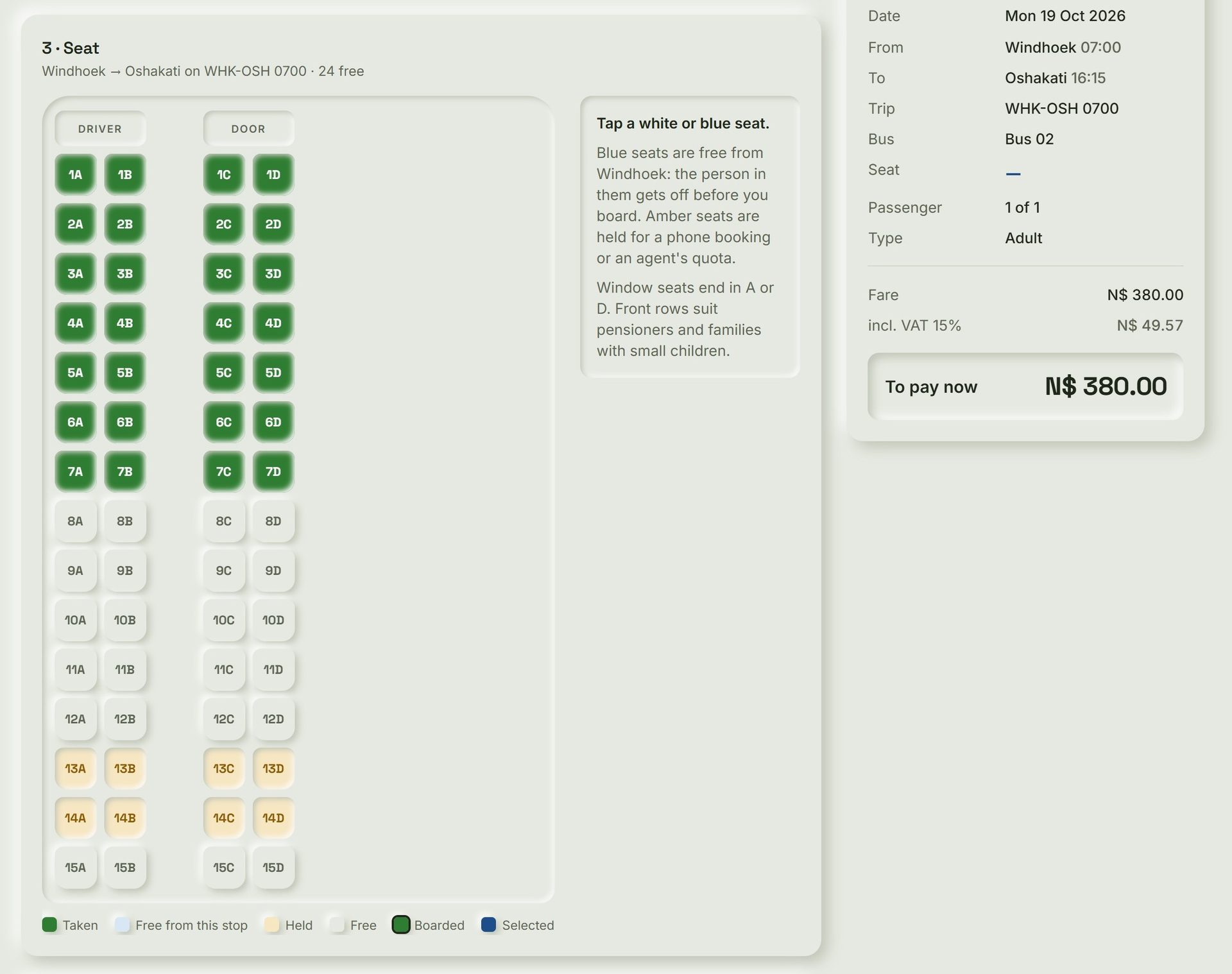
SeatBook: Selling a ticket. The counter picks a trip, taps a seat on the bus map and takes payment.
Selling a ticket The counter picks a trip, taps a seat on the bus map and takes payment.
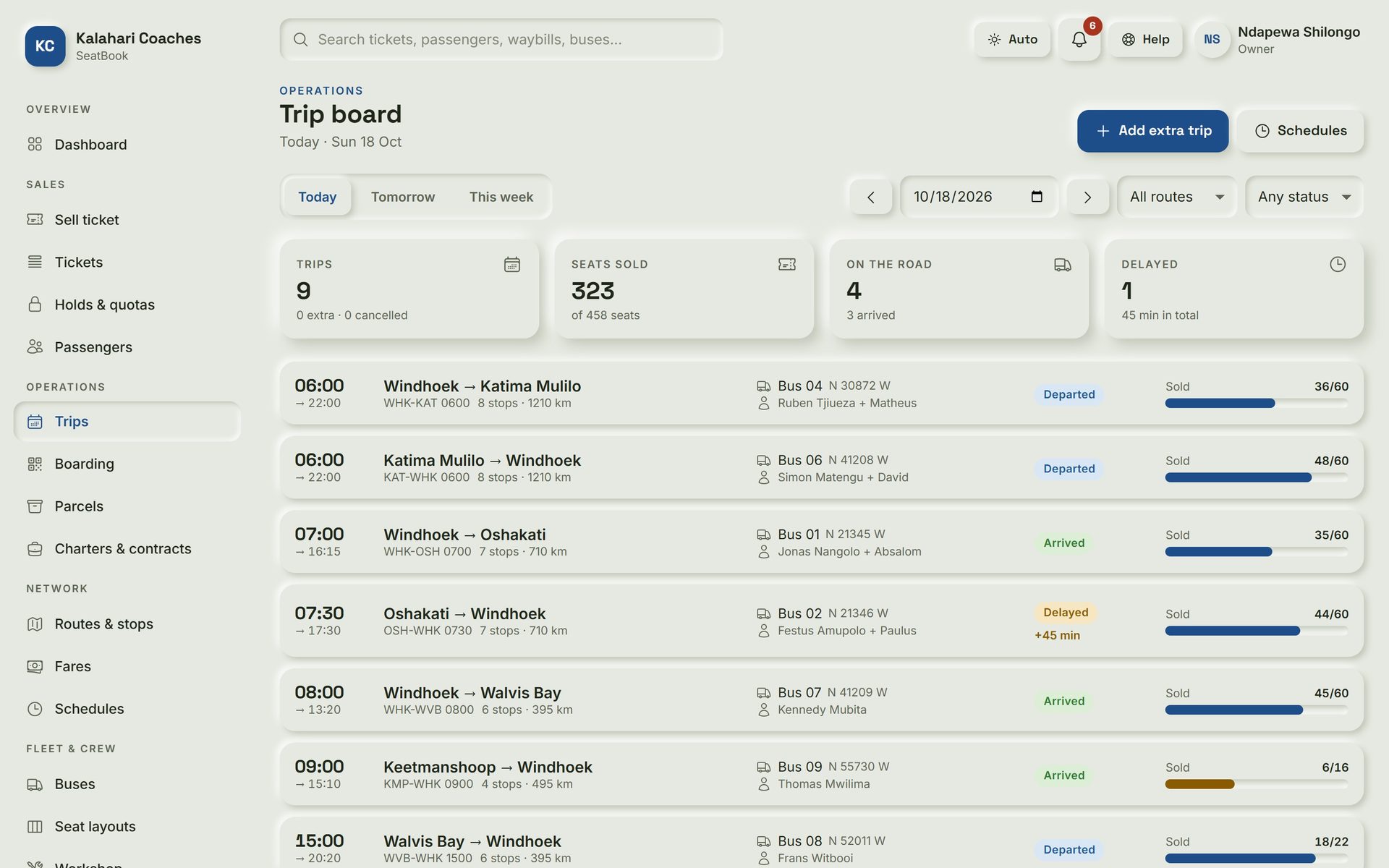
SeatBook: Trip board. Every departure today with its bus, driver, delays and seats sold.
Trip board Every departure today with its bus, driver, delays and seats sold.
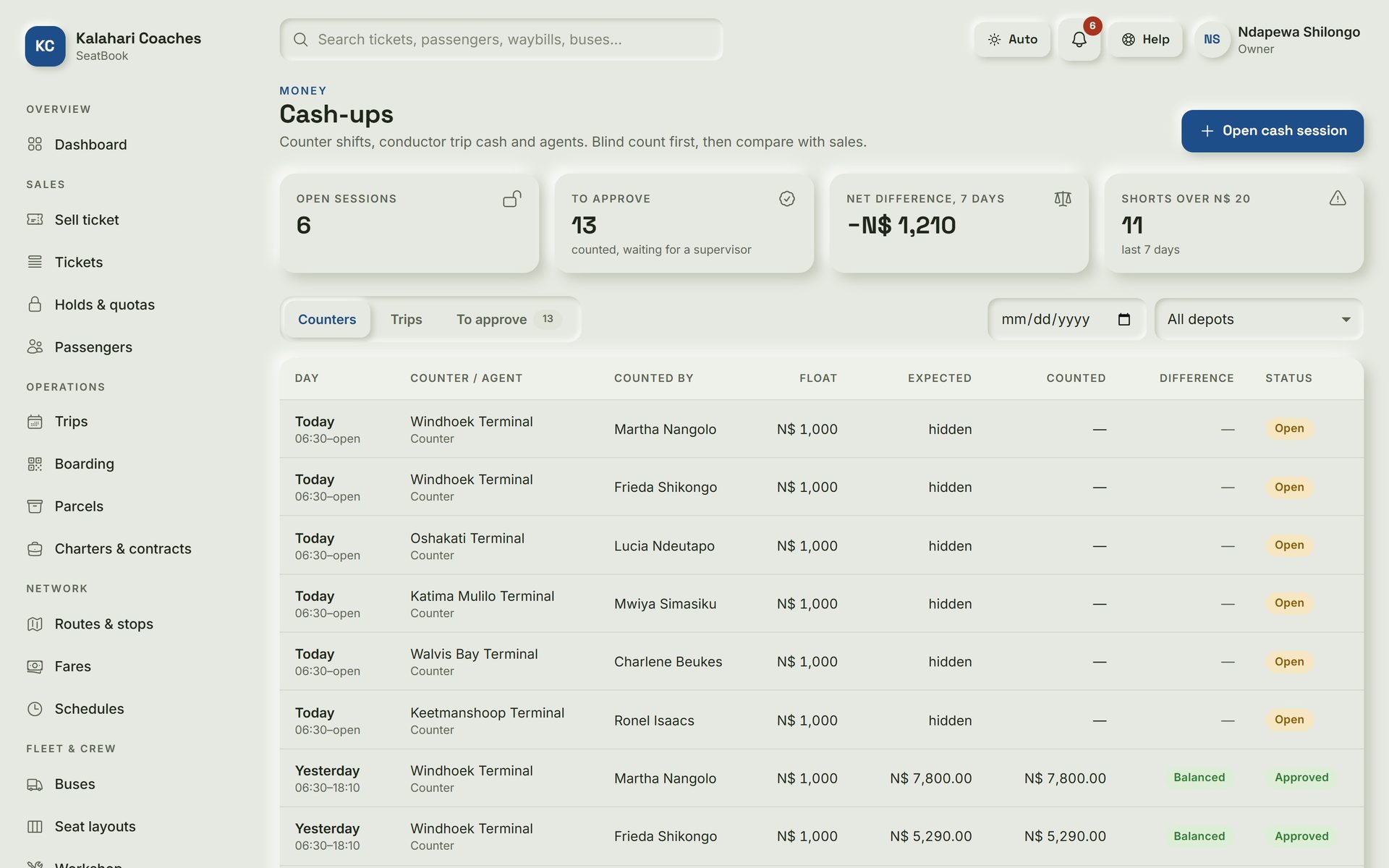
SeatBook: Cash-ups. Each clerk counts the cash first; SeatBook shows the difference only afterwards.
Cash-ups Each clerk counts the cash first; SeatBook shows the difference only afterwards.
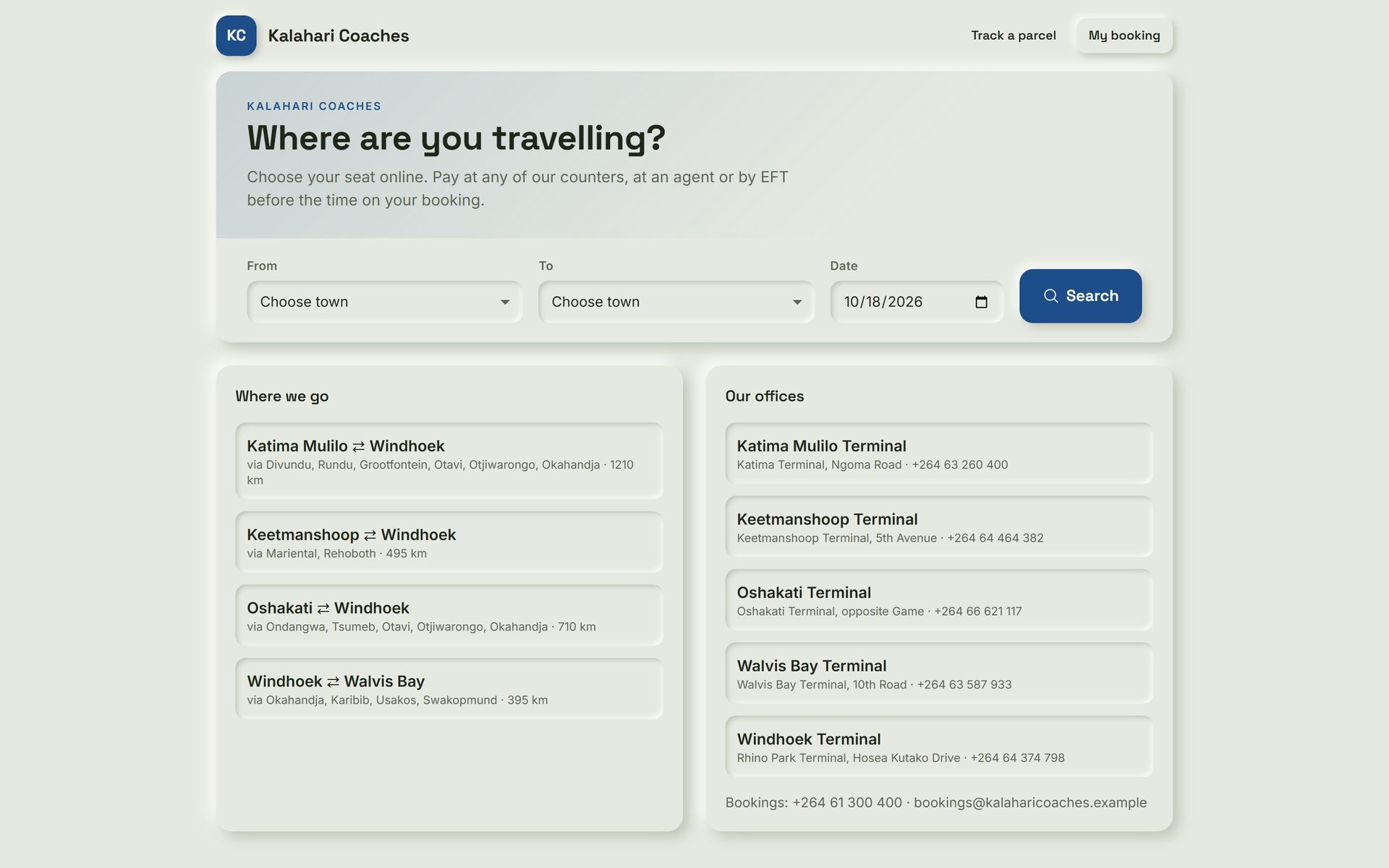
SeatBook: Passenger booking page. Passengers choose a route and seat online and pay at a counter, an agent or by EFT.
Passenger booking page Passengers choose a route and seat online and pay at a counter, an agent or by EFT.
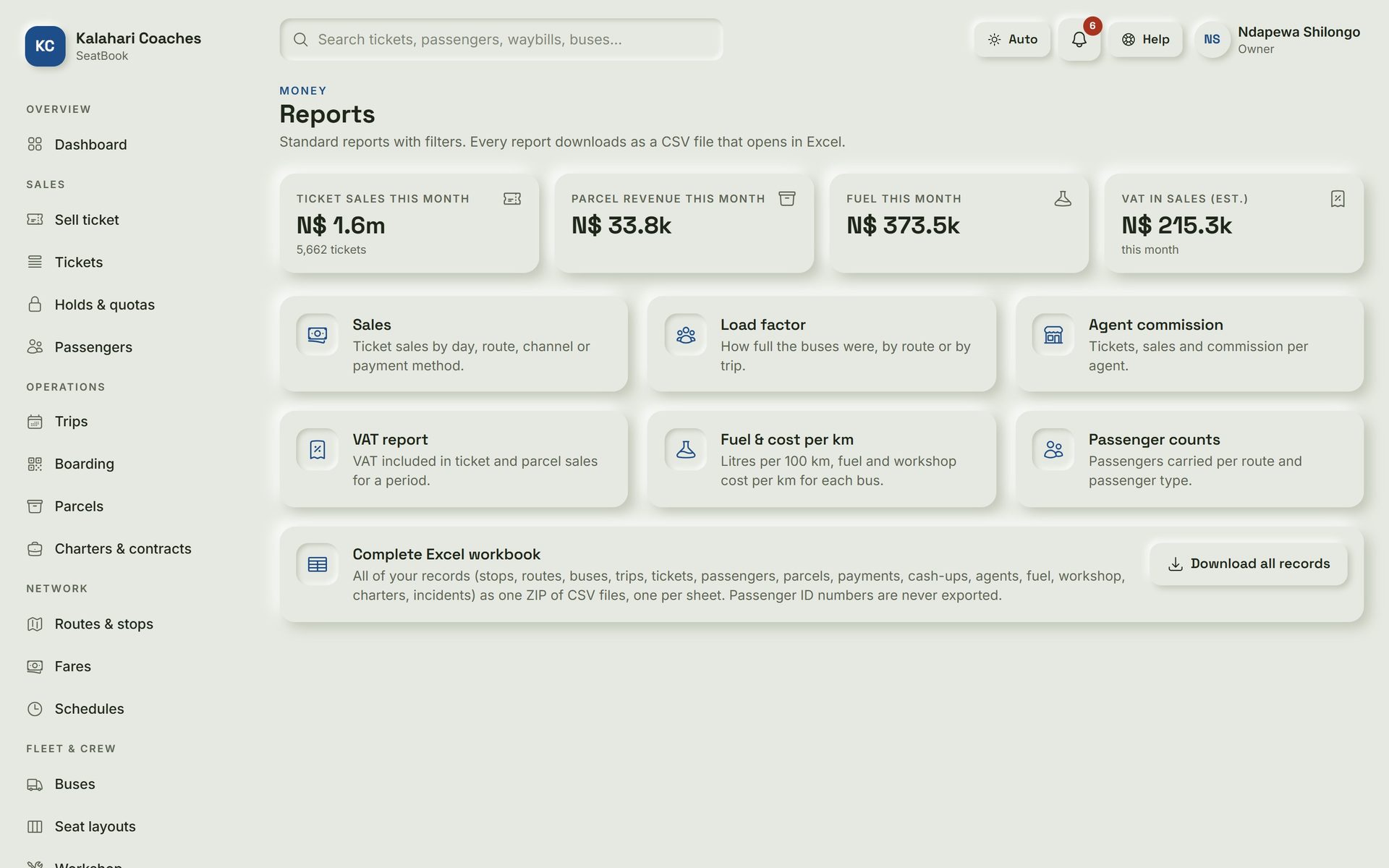
SeatBook: Reports. Sales, load factor, fuel per km and VAT, plus one Excel export of every record.
Reports Sales, load factor, fuel per km and VAT, plus one Excel export of every record.
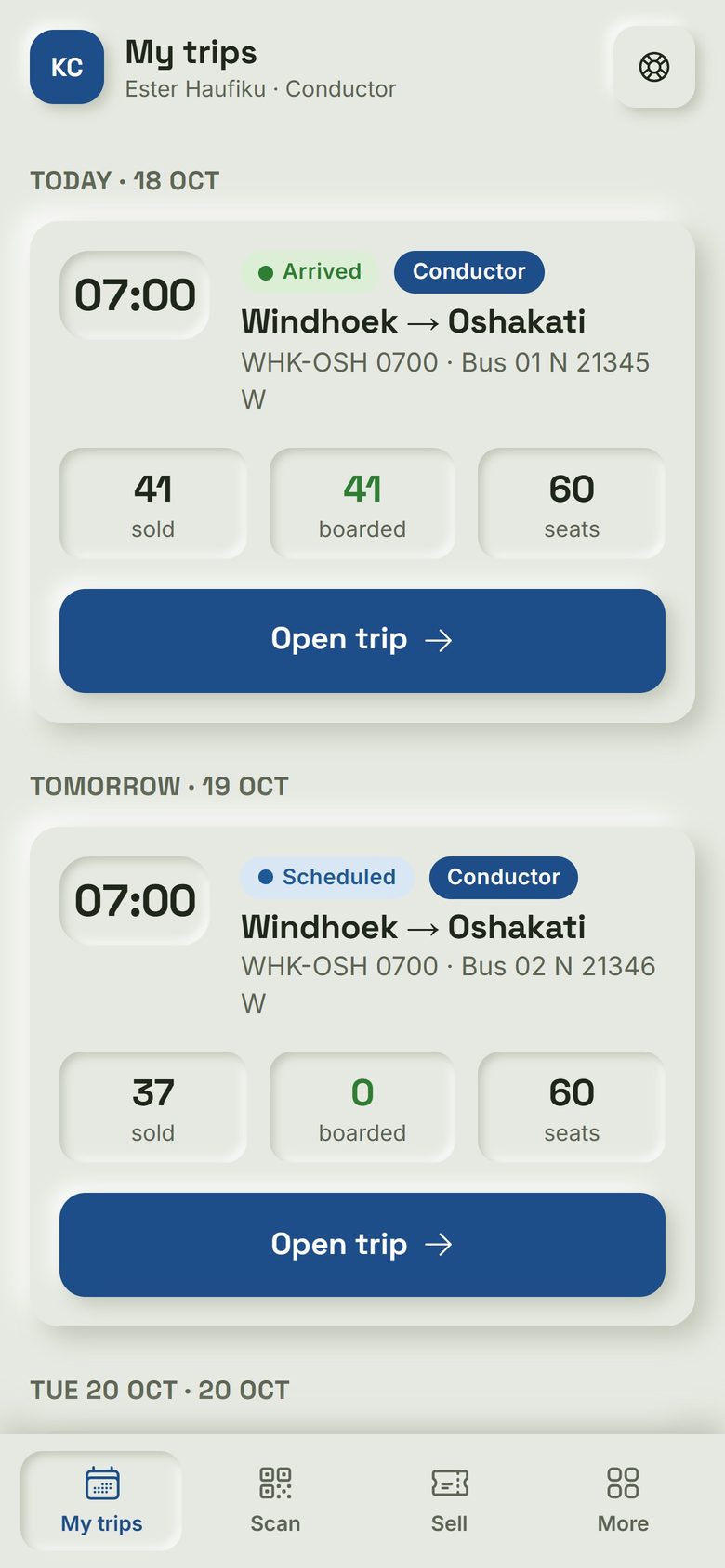
SeatBook: Conductor's phone. Crew see their trips with tickets sold and boarded.
Conductor's phone Crew see their trips with tickets sold and boarded.
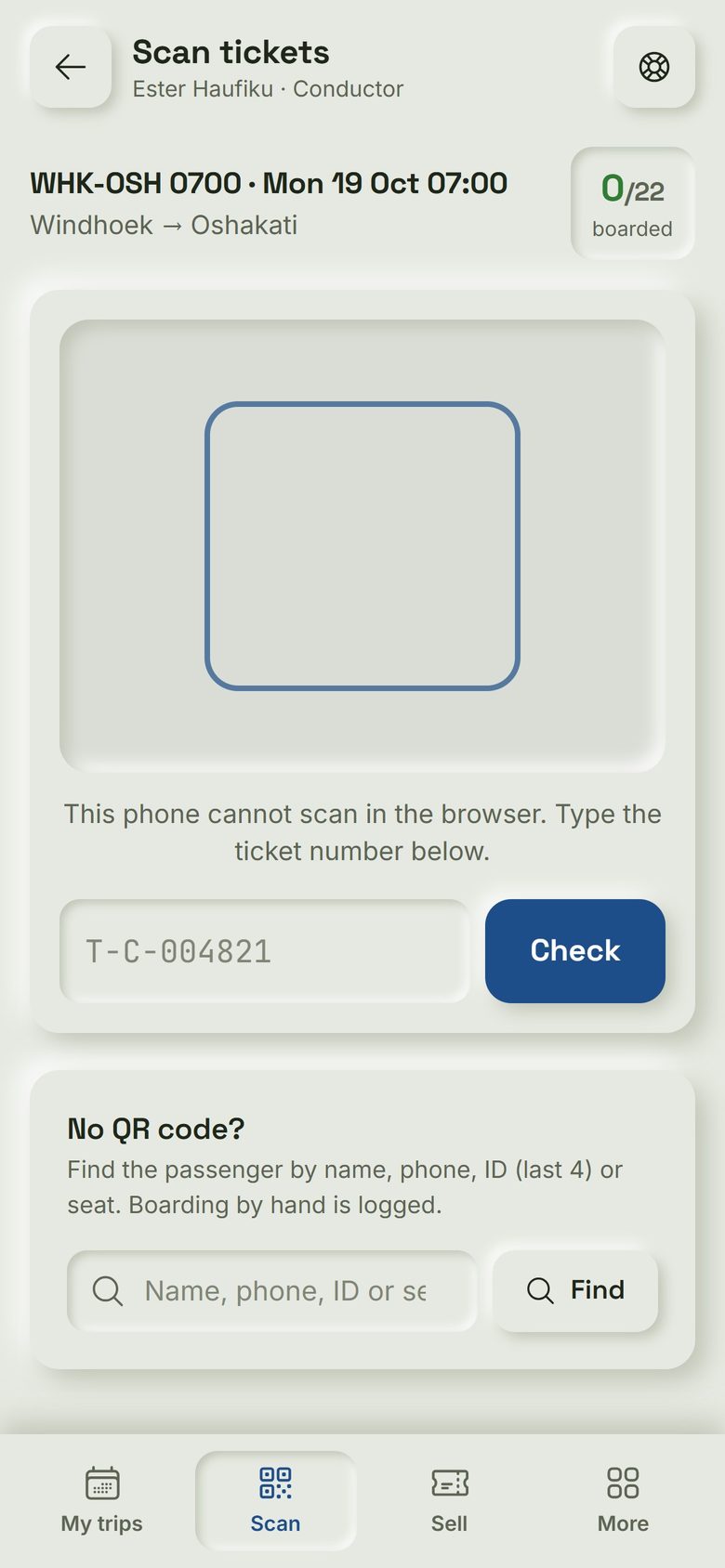
SeatBook: Boarding. Crew scan each ticket's QR code at the door, or type its number, even with no signal.
Boarding Crew scan each ticket's QR code at the door, or type its number, even with no signal.
Transport

Mashoke Fleet

Trips, fuel, truck costs, quotes, invoices and payroll for transport companies, with the profit on every load.

  • Trips, fuel and truck health
  • Quotes and invoices
  • Run by Mashoke Tech daily
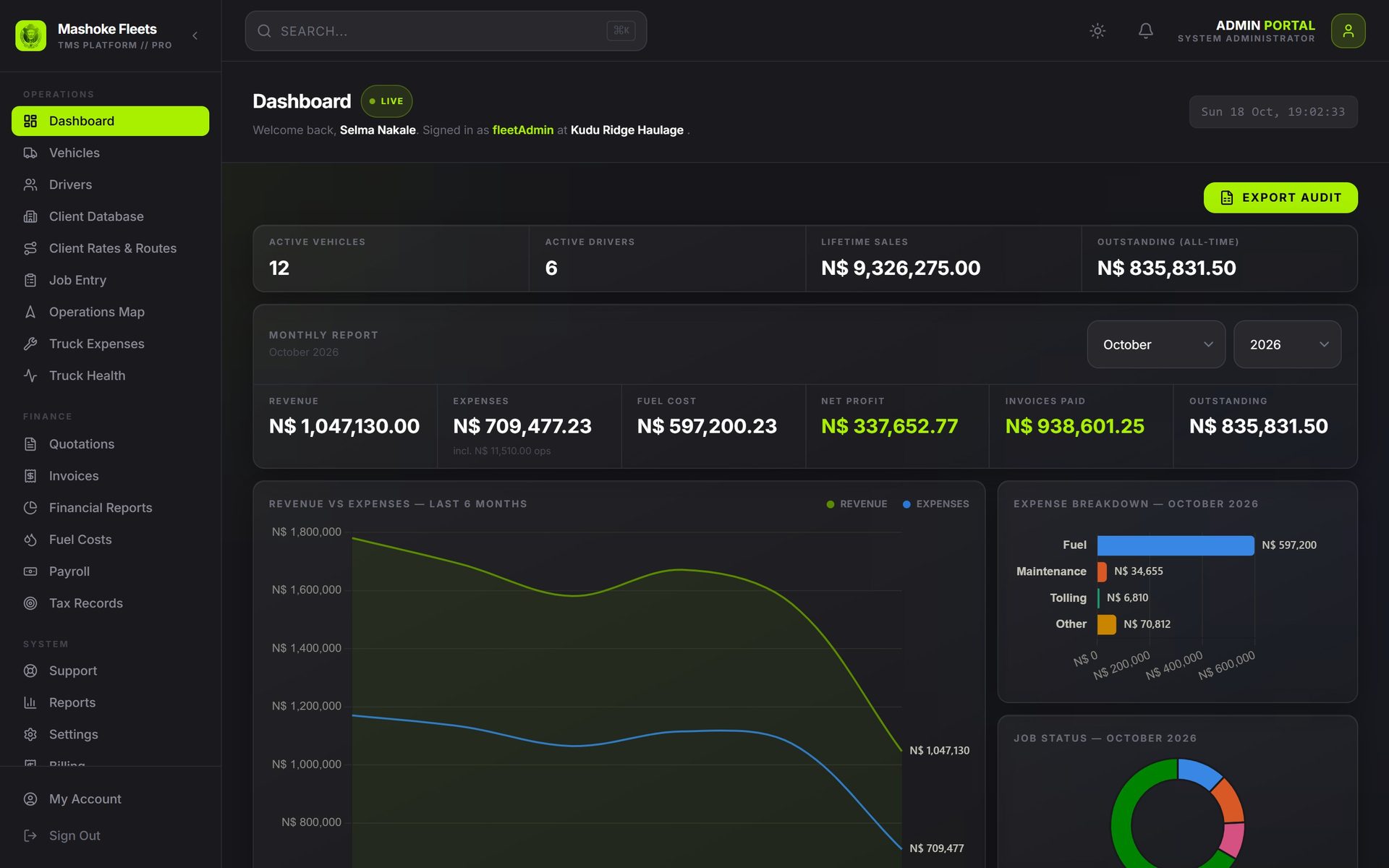
Mashoke Fleet: Dashboard. The month at a glance: revenue, expenses, fuel and net profit, with six months of history and costs by type.
Dashboard The month at a glance: revenue, expenses, fuel and net profit, with six months of history and costs by type.
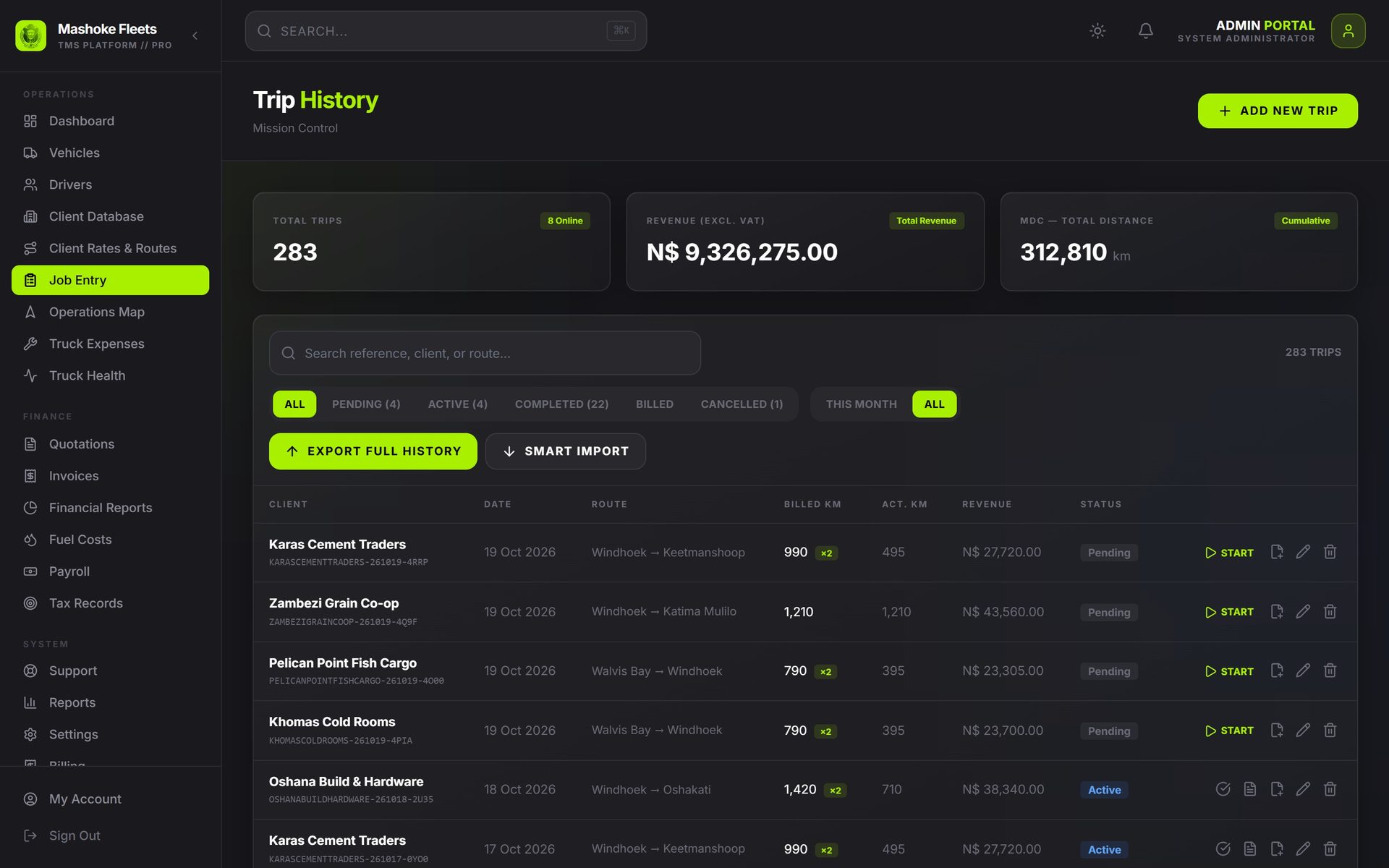
Mashoke Fleet: Trips. Every load with its client, route, billed kilometres, revenue and status, from booked to paid.
Trips Every load with its client, route, billed kilometres, revenue and status, from booked to paid.
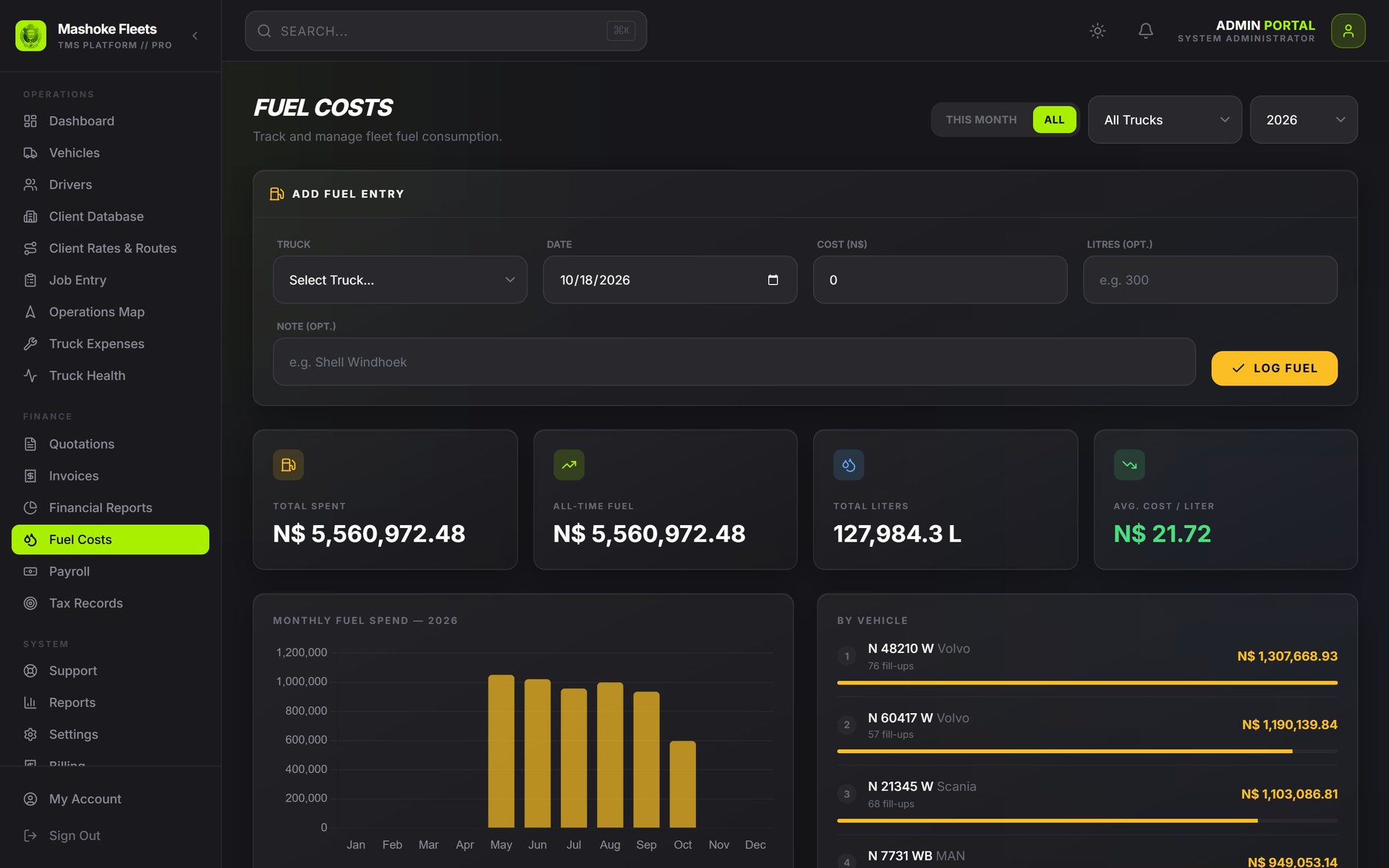
Mashoke Fleet: Fuel costs. Every diesel fill-up with litres and price, by month and by truck.
Fuel costs Every diesel fill-up with litres and price, by month and by truck.
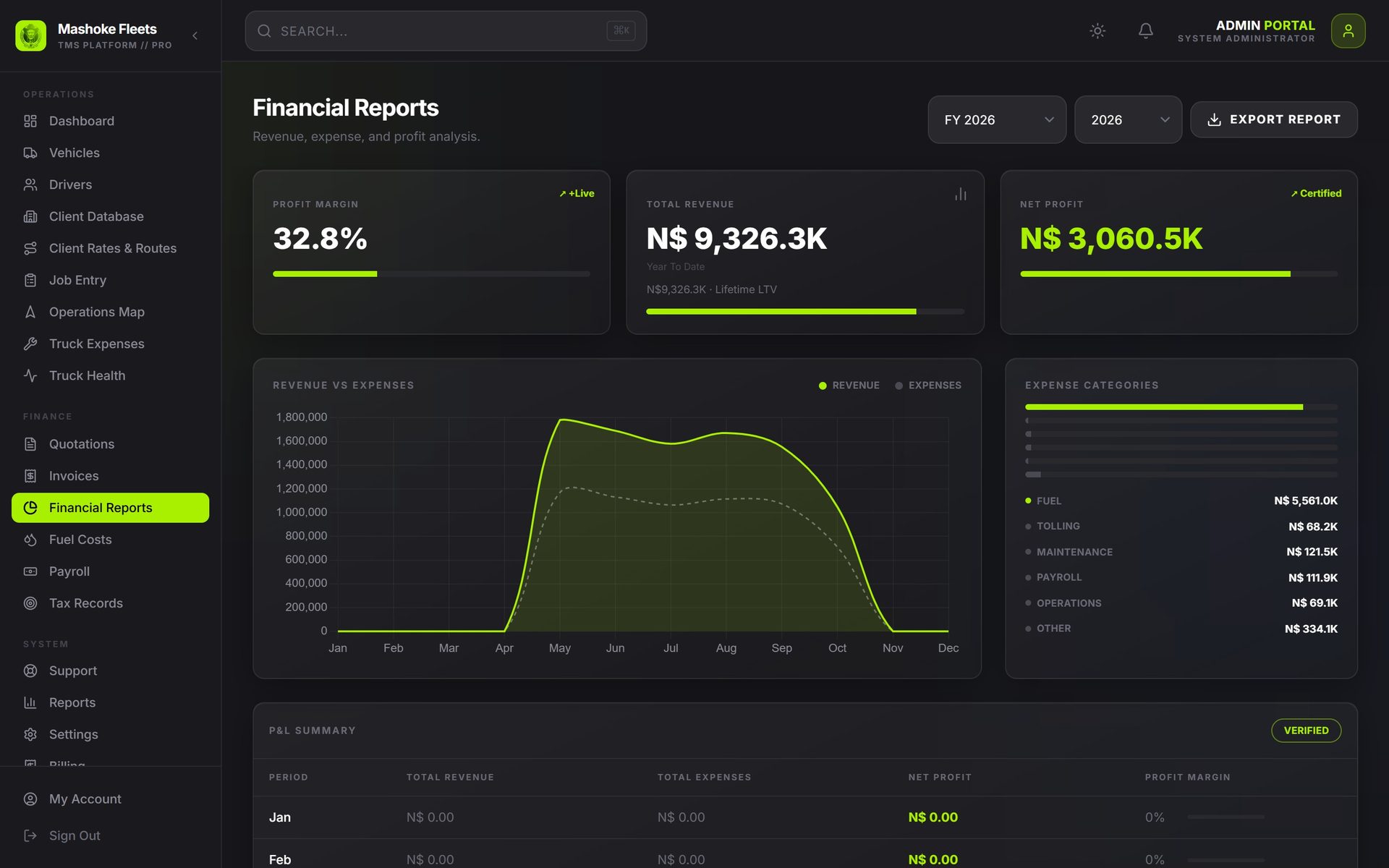
Mashoke Fleet: Financial reports. Revenue against expenses and the profit margin, month by month.
Financial reports Revenue against expenses and the profit margin, month by month.
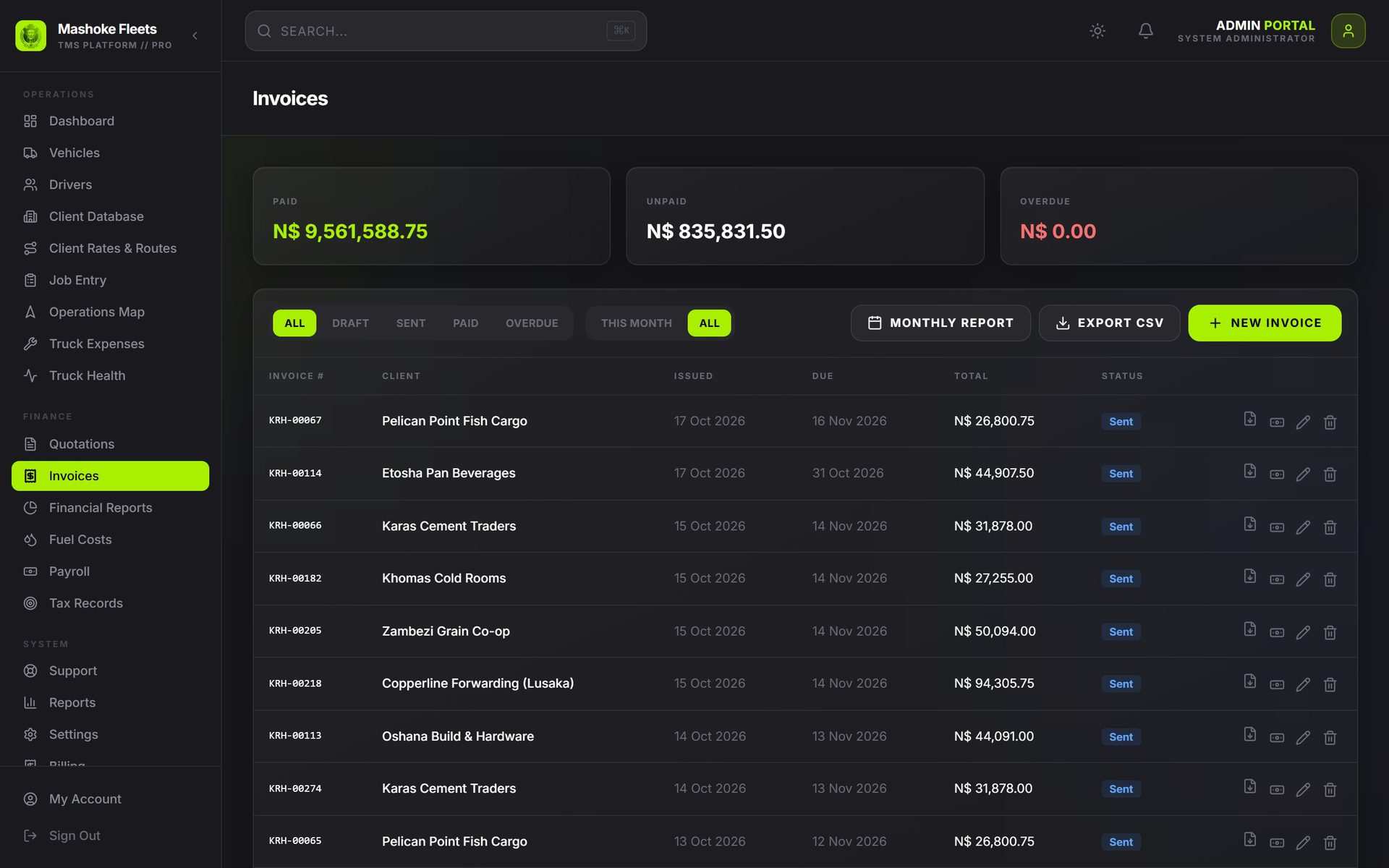
Mashoke Fleet: Invoices. Invoices made from finished trips, showing what is paid and what is still owed.
Invoices Invoices made from finished trips, showing what is paid and what is still owed.
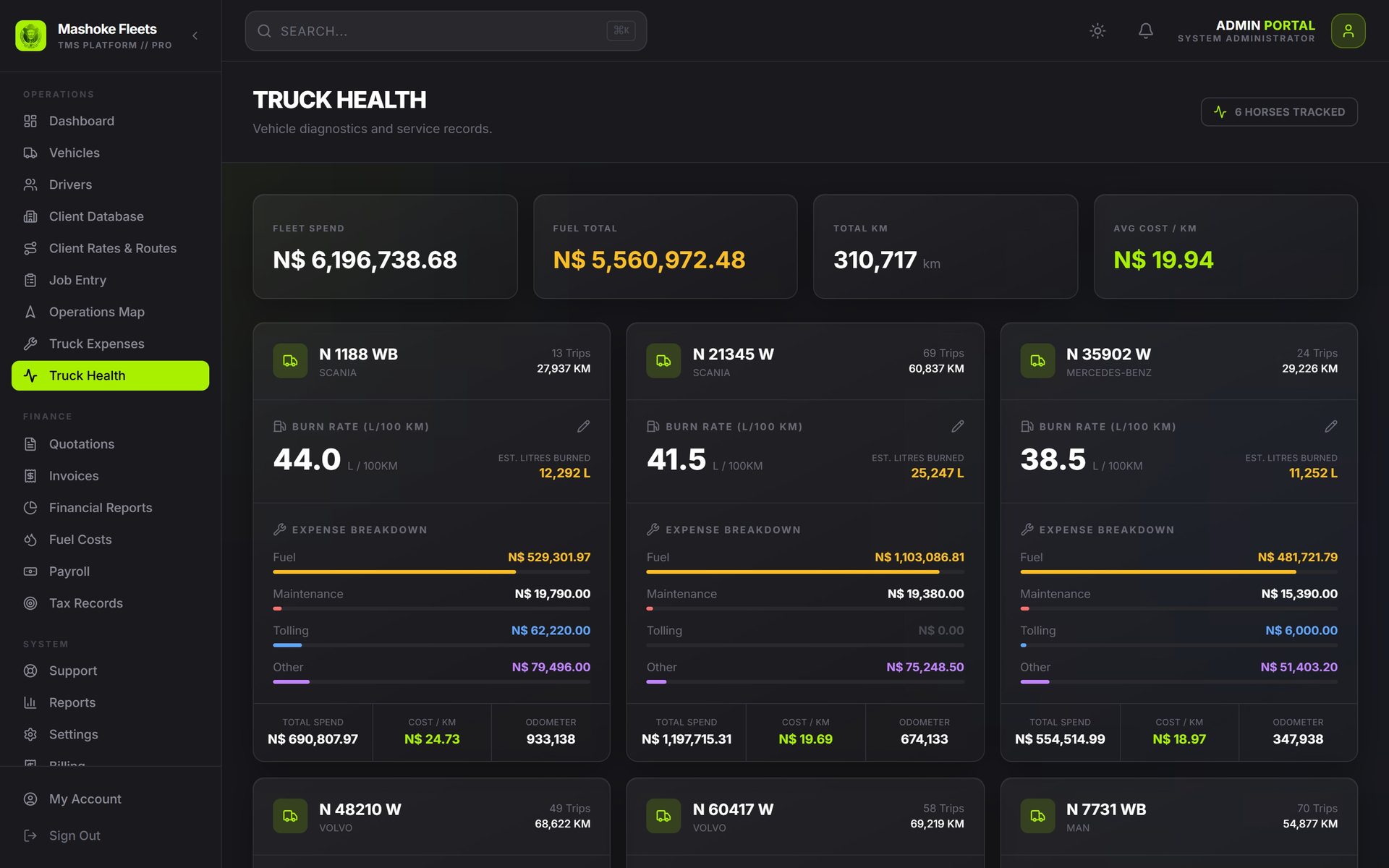
Mashoke Fleet: Truck health. What each truck costs per kilometre: fuel, maintenance, tolls and other costs next to its odometer.
Truck health What each truck costs per kilometre: fuel, maintenance, tolls and other costs next to its odometer.
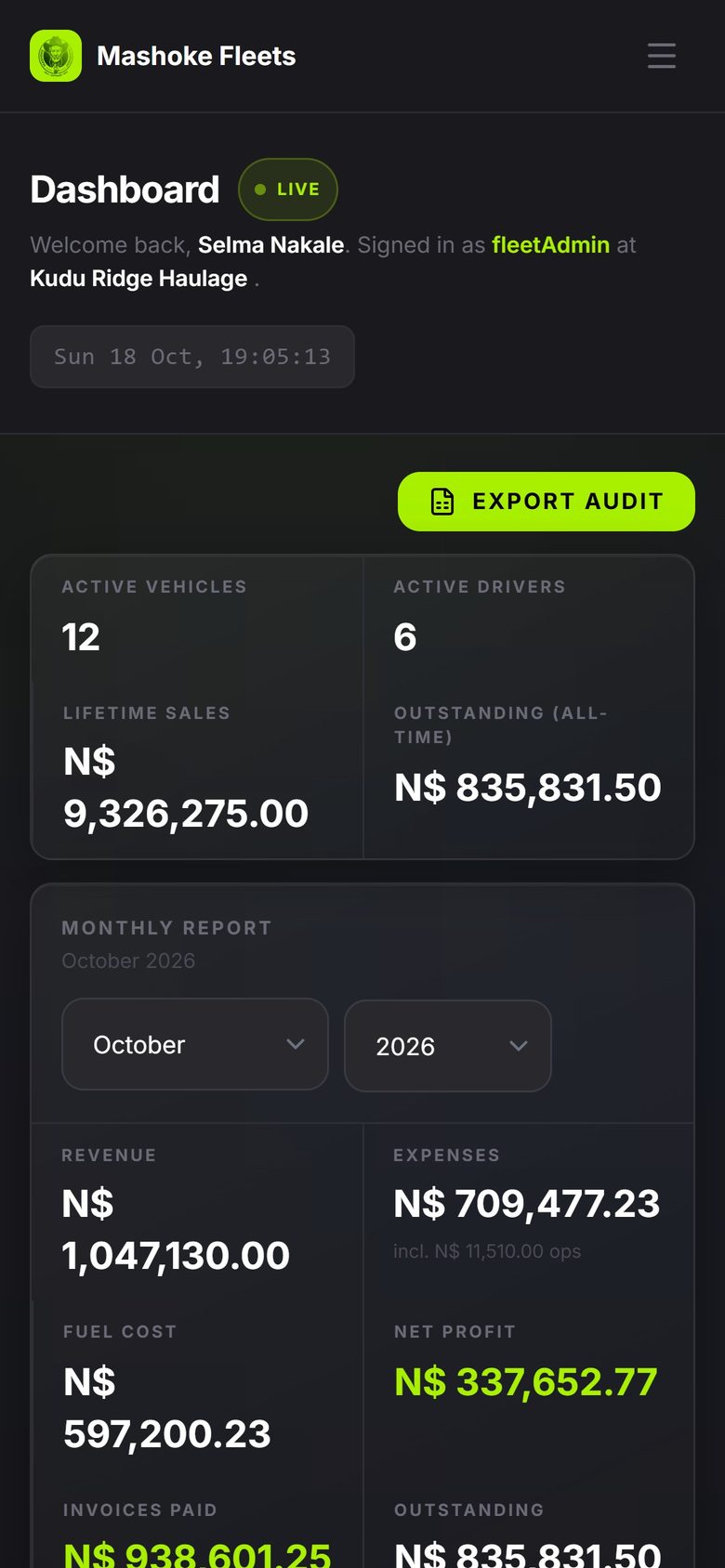
Mashoke Fleet: Dashboard on a phone. The owner checks the month's revenue and profit from a phone.
Dashboard on a phone The owner checks the month's revenue and profit from a phone.
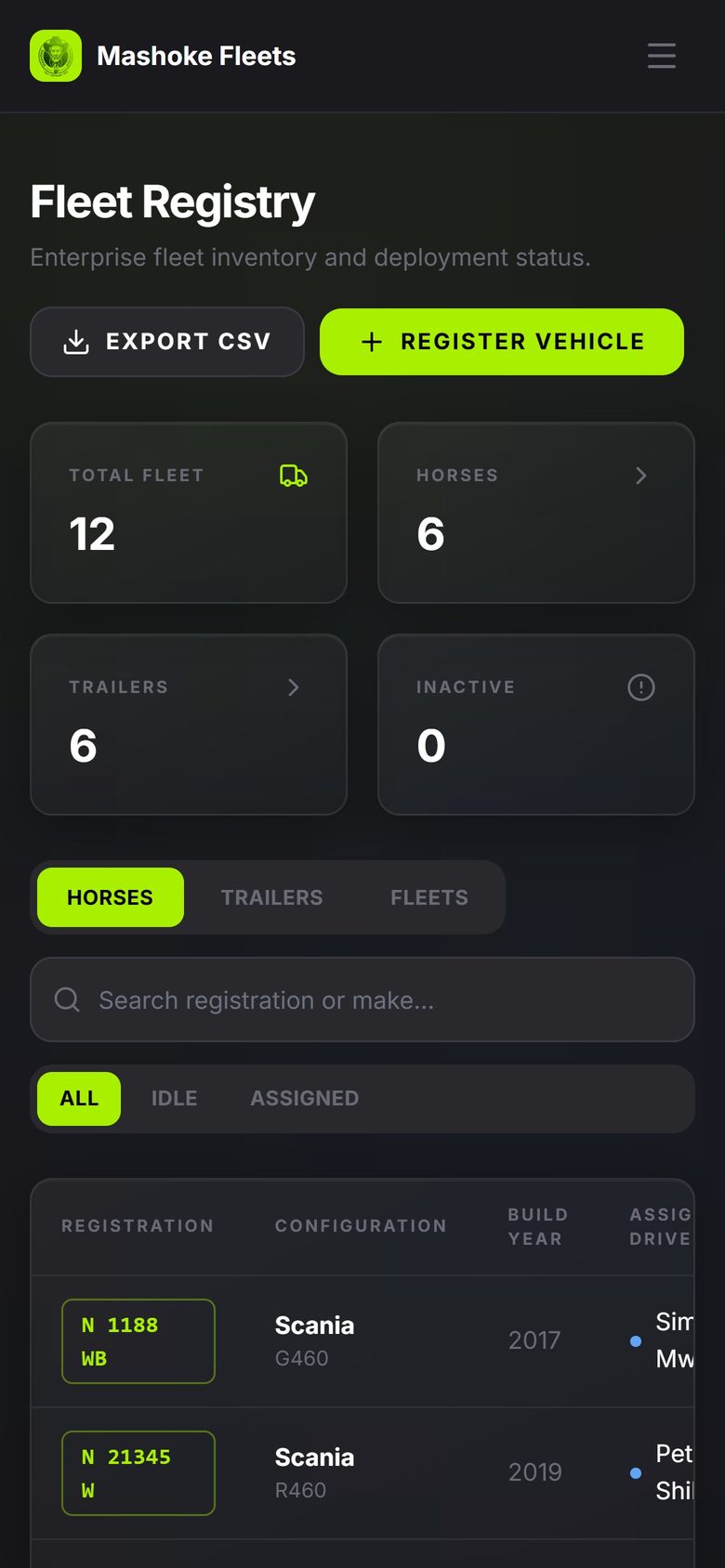
Mashoke Fleet: Personnel view. Drivers and other personnel see the fleet, not the money.
Personnel view Drivers and other personnel see the fleet, not the money.
Private clinics ยท coming soon

CureBook

Patients, visits, prescriptions and medical-aid claims for private clinics. In development: clinics can join the pilot list.

  • Patient records and allergies
  • Visits and prescriptions
  • Claim batches for each scheme
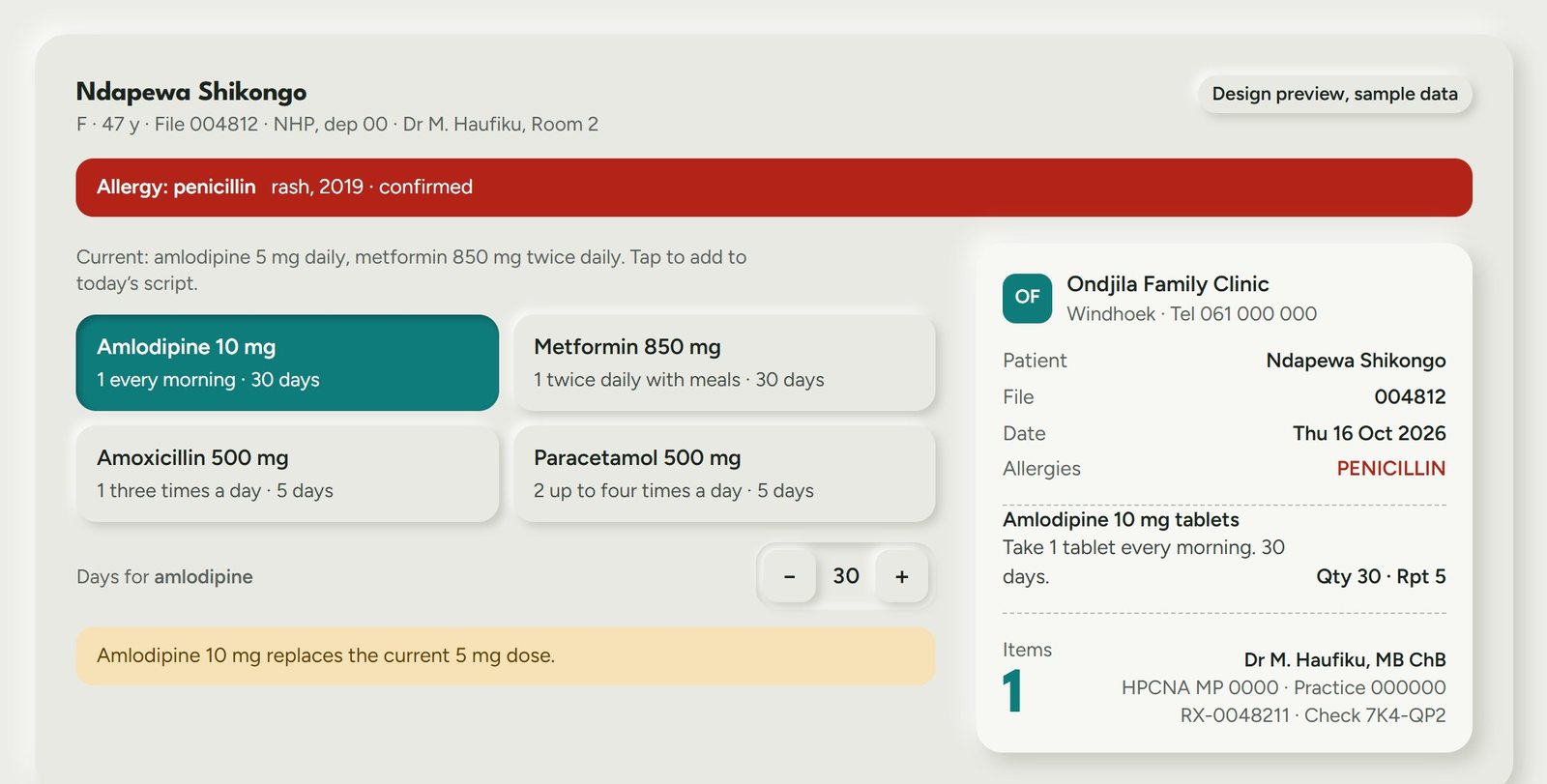
CureBook: Design preview: writing a script. The doctor taps medicines onto today's script; CureBook stops a medicine the patient is allergic to. Sample data.
Design preview: writing a script The doctor taps medicines onto today's script; CureBook stops a medicine the patient is allergic to. Sample data.
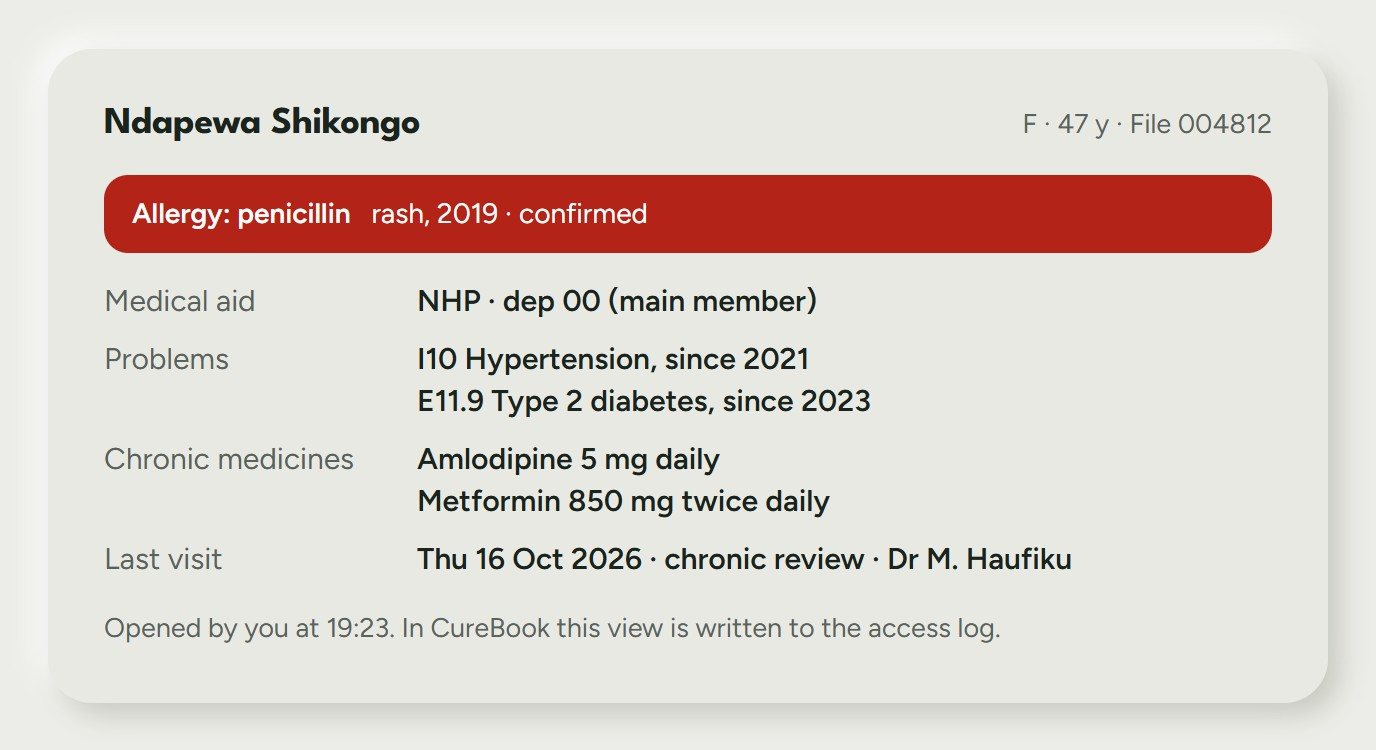
CureBook: Design preview: patient summary. Allergies, chronic medicines and the last visit on one card; every view is logged. Sample data.
Design preview: patient summary Allergies, chronic medicines and the last visit on one card; every view is logged. Sample data.
Custom build

Mee Kakwiila

Online ordering, kitchen and delivery app for a Windhoek kitchen. Installs on the phone.

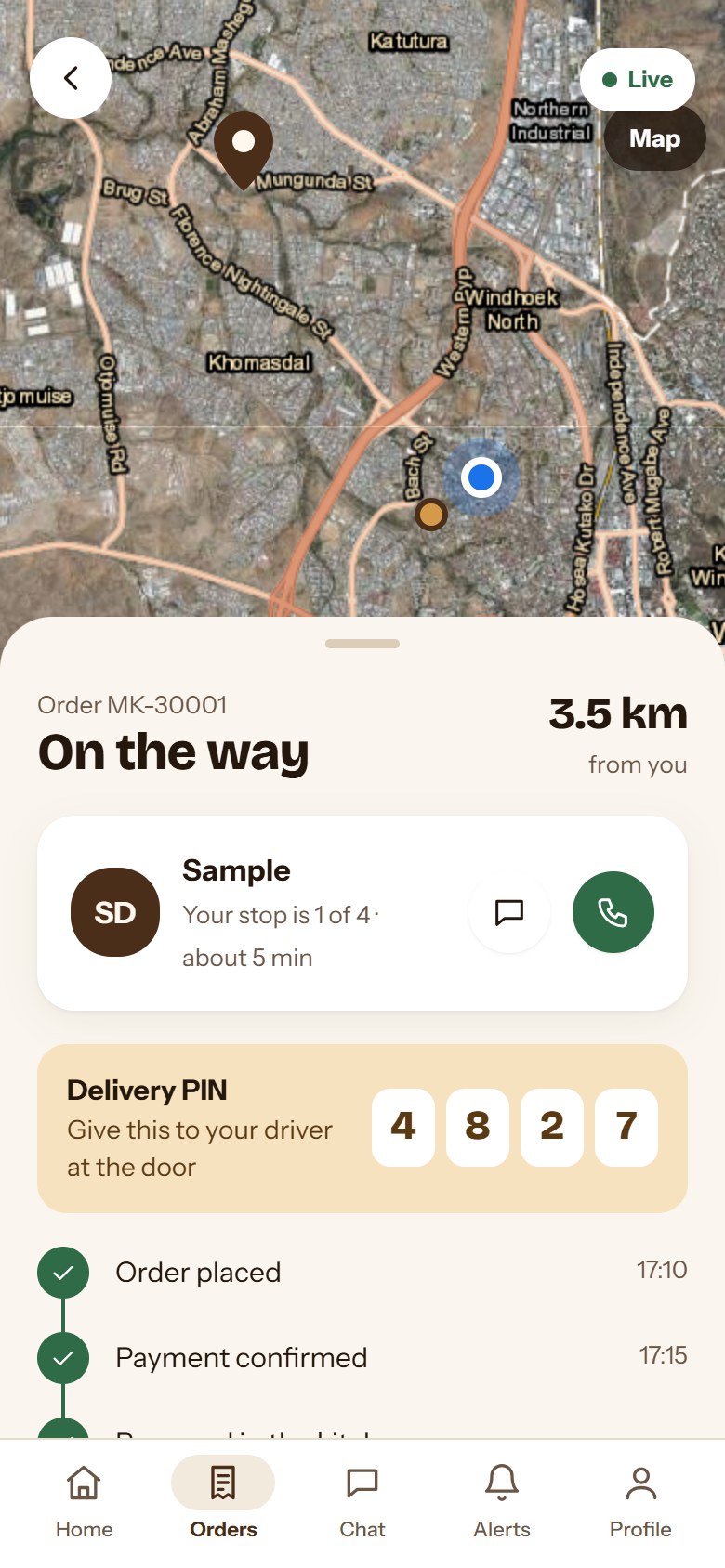
  • Customers order and track their driver
  • Owner verifies payment and runs the kitchen
  • Drivers get routes and delivery PINs
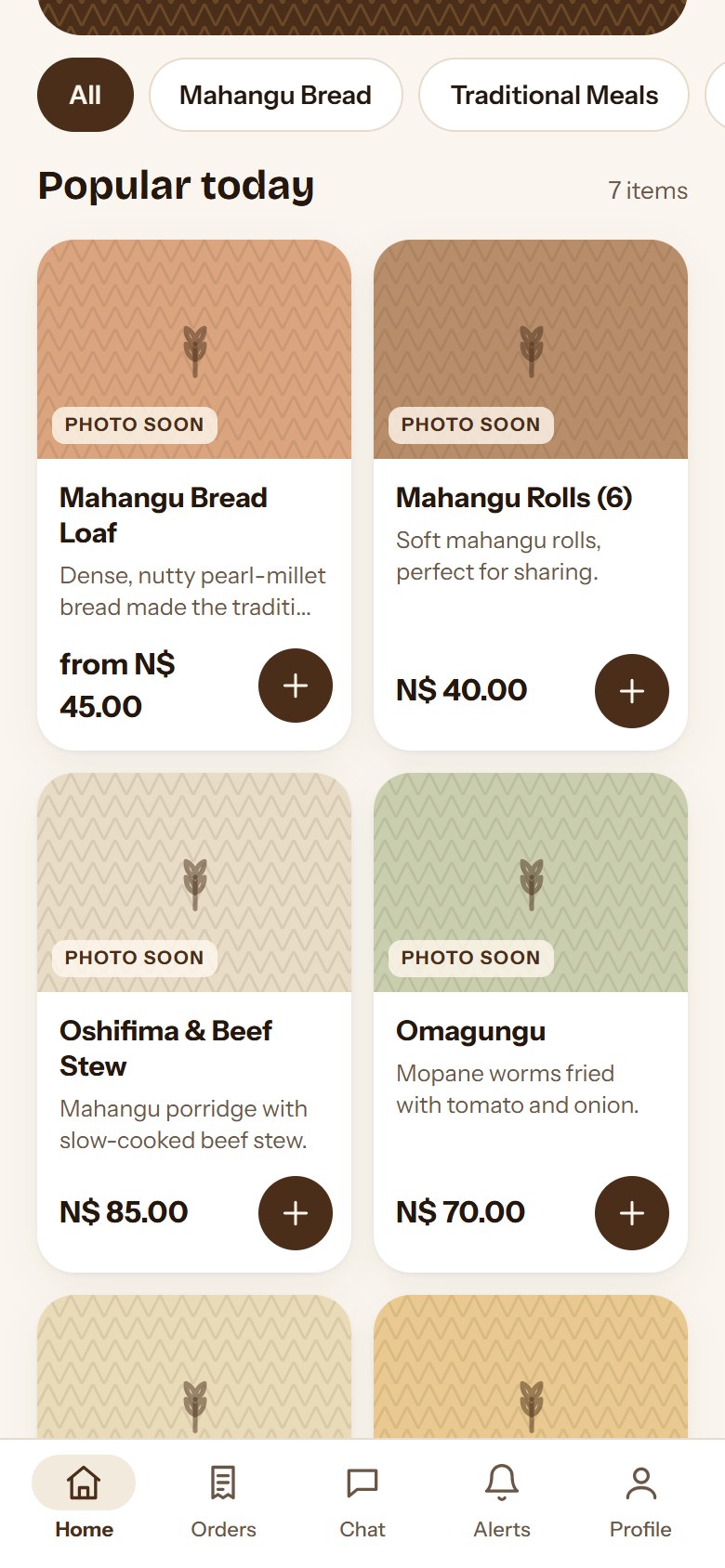
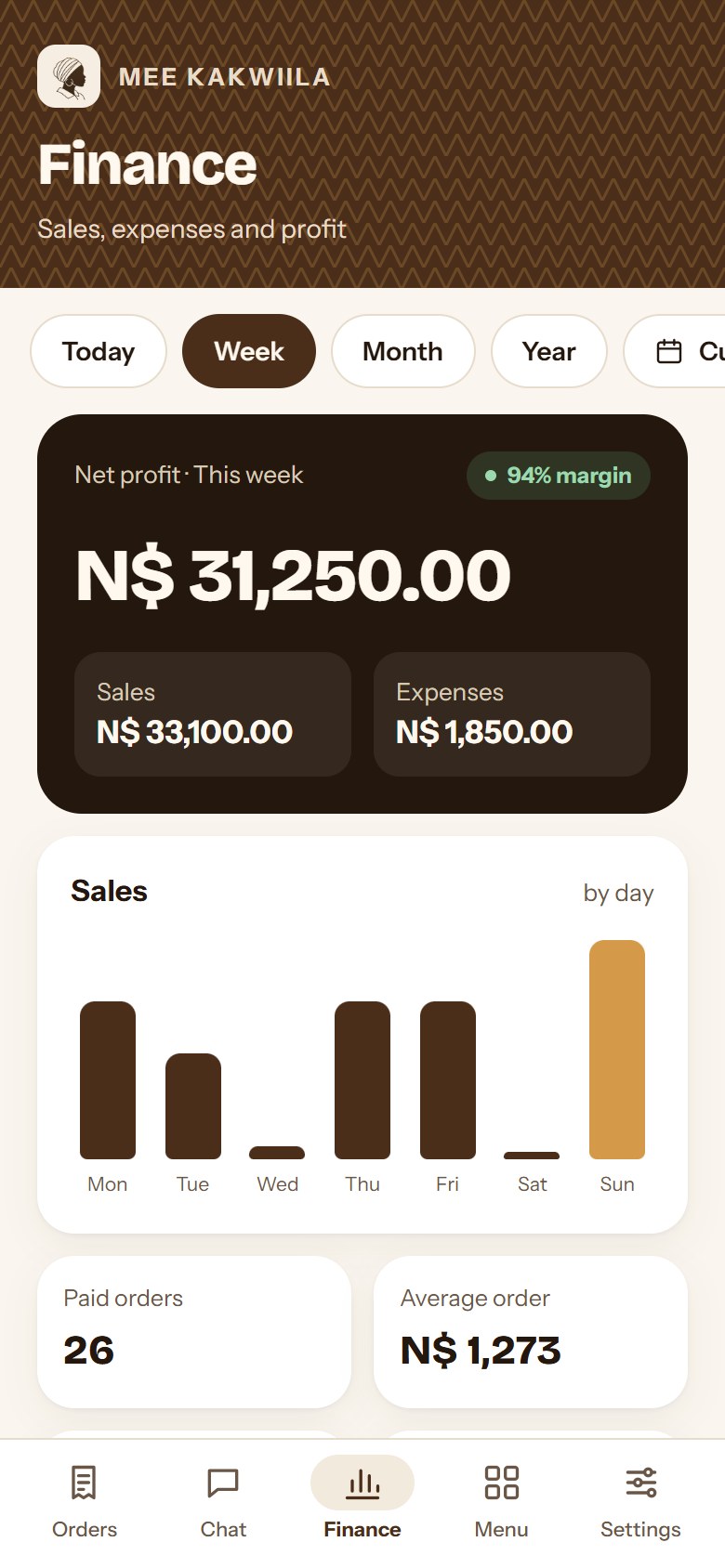
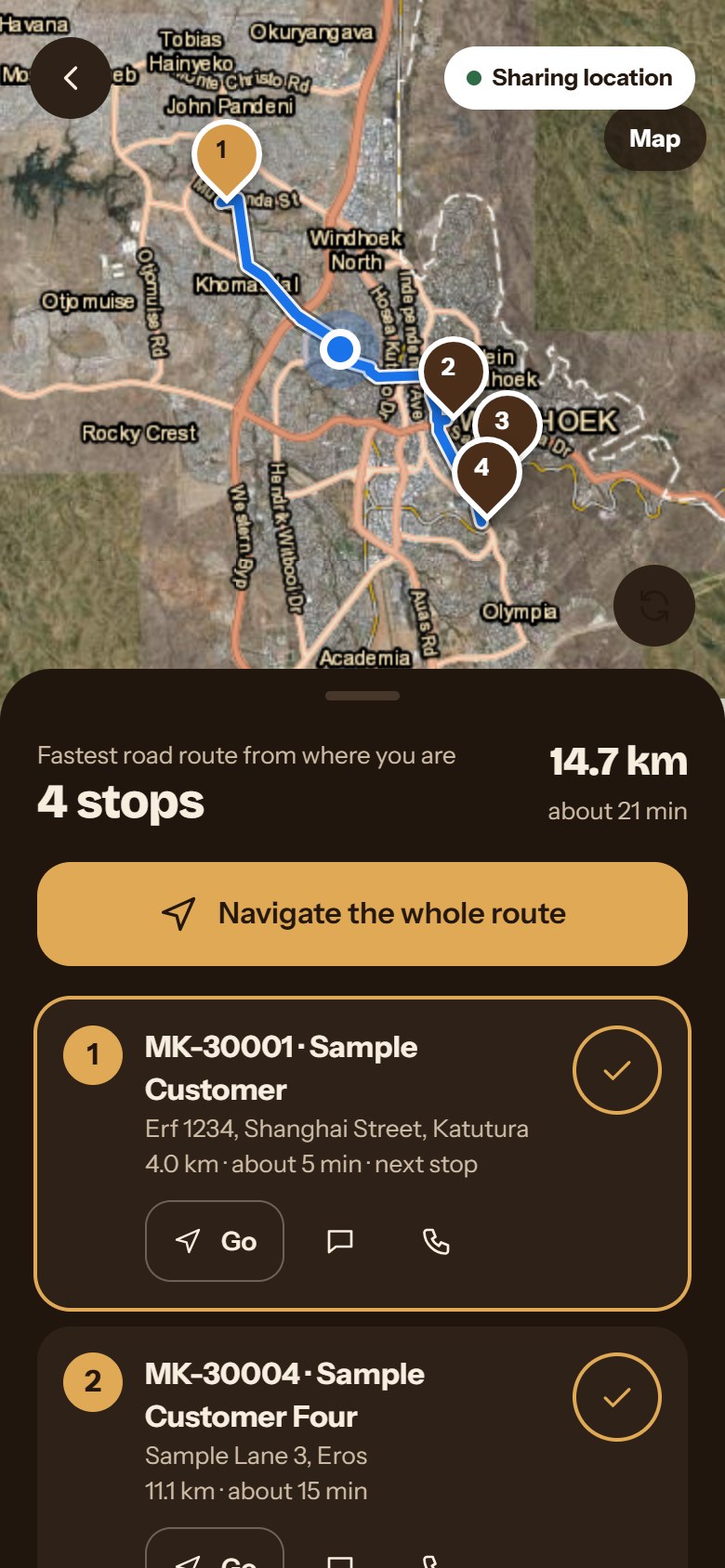
Mee Kakwiila menu screen
Menu
Mee Kakwiila order screen
Order
Mee Kakwiila kitchen screen
Kitchen
Mee Kakwiila driver screen
Driver

Have a system to build?

Describe it. You will hear a plan, or an honest no.

Enquire now